
Skype, long a popular choice for calling regular phone numbers around the world, was officially retired in May 2025. If you previously relied on Skype to reach fixed lines or mobile phones, it's important to have alternative solutions in place.
In this article, we'll introduce multiple reliable/popular services that serve as great replacements for Skype when it comes to making seamless calls to landlines and mobiles overseas.
By comparing their features, pricing, availability, and ideal use cases, you'll be able to identify the best alternative(s) to meet your specific communication needs.
Glossary:
- VoIP (Voice over Internet Protocol): A technology for making voice calls over the internet instead of traditional phone lines.
- PSTN (Public Switched Telephone Network): The traditional telephone network used for landline and mobile calls.
Viber (with Viber Out)
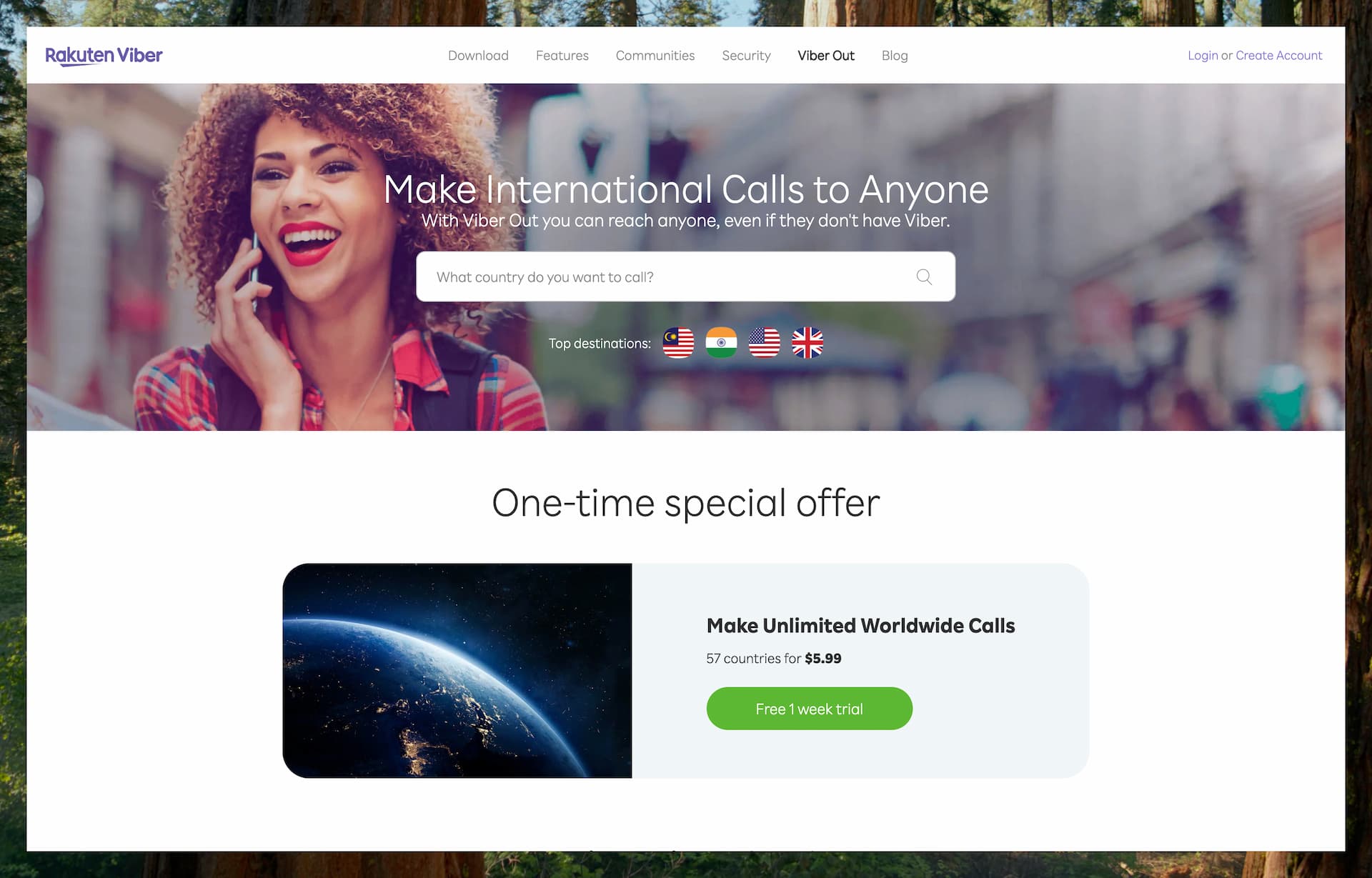
Viber is a messaging and VoIP app that offers free calls and messages between Viber users over the internet. For calling external phone numbers, Viber provides Viber Out, a prepaid calling service for landline and mobile numbers worldwide.
Features
Viber Out lets you make phone calls from both mobile and desktop, as long as you have an internet connection (Wi-Fi or mobile data). The person you're calling doesn’t need to have Viber or an internet connection, since Viber Out connects to regular phone networks just like a traditional call.
Call quality is often described as “crystal clear”, although there is no publicly available data or independent testing to confirm this. Since it is a VoIP service, the quality largely depends on the strength and stability of your internet connection.
Viber Out is focused on voice calling only. It does not support sending SMS or MMS messages to regular phone numbers.
Another limitation is that it doesn't assign you a new phone number. However, in many cases, your existing number can be displayed as the caller ID when you make a call.
Receiving calls from standard phone networks (PSTN) is not a built-in feature. Viber used to offer a paid “Local Number” service that allowed users to receive calls and texts in a few countries, but this service has been discontinued.
Pricing & Plans
Viber Out currently supports several calling products. The main ones are World Credit for pay-as-you-go calling, Unlimited Country Plans, Minutes Country Plans, and World Unlimited for broader monthly calling coverage.
When you use credits, the cost of each call depends on the destination country and on whether you are dialing a landline or a mobile number. In many countries the rate is just a few cents per minute. Because you do not need a monthly plan, credits are simply deducted as you talk.
Viber also offers country-specific plans, plus broader bundles such as World Unlimited in some markets. If you make long or frequent calls to a given destination, these plans are usually cheaper than paying per minute with credits.
For example, calls to the United States are advertised from USD 0.019 (1.9 cents) per minute when you use World Credit. For the same destination, Viber also offers a Call USA plan at $1.99/month and a broader Call World plan with a free 1-week trial followed by $5.99/month.
Viber also supports automatic top-ups for World Credit when your balance drops below a threshold, and World Credit rolls over until it is used up.
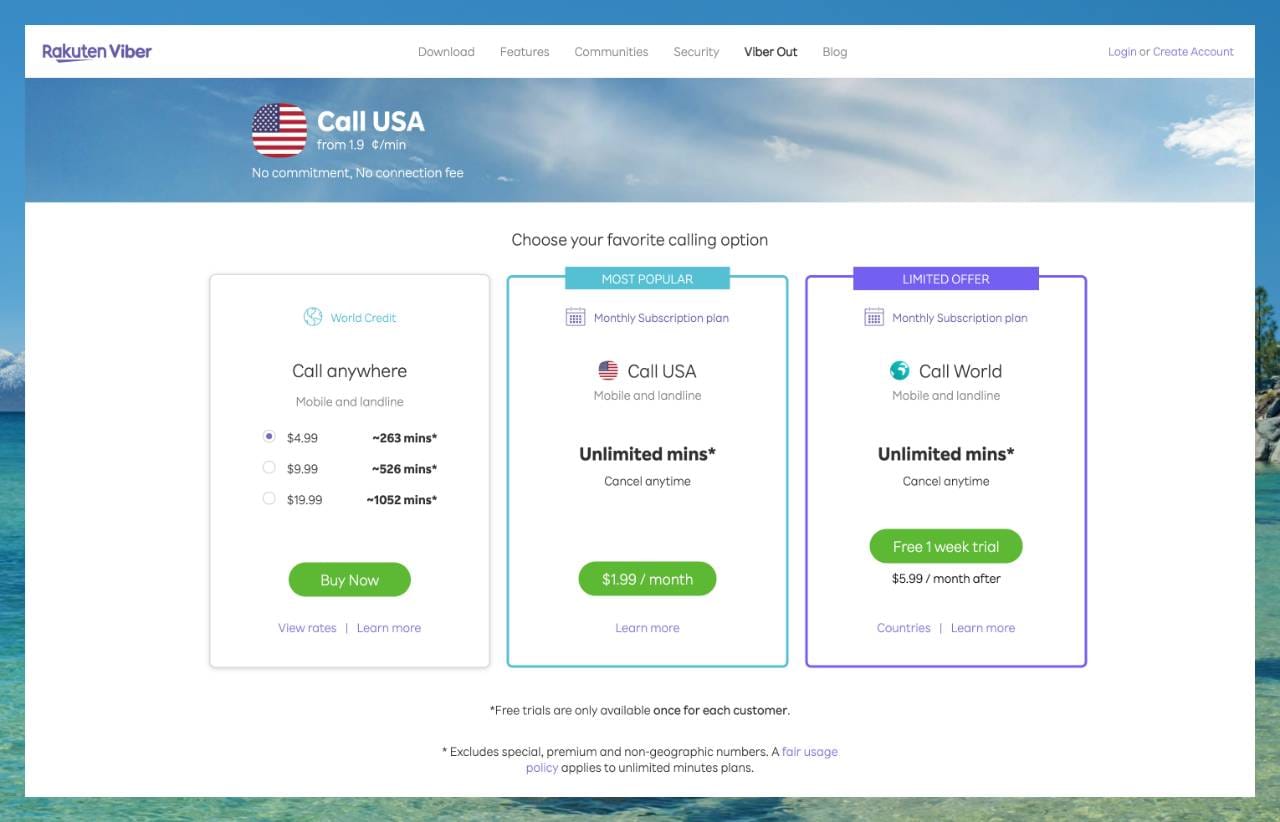
Current destination pricing can still be checked on the call rate list, and product details are summarized in Viber's official pricing FAQ. (*Rates are displayed in either USD or EUR, depending on the country associated with your Viber-registered phone number.)
Pros & Cons
Pros:
Viber Out provides a simple and convenient way to call real phone numbers worldwide directly from the Viber app. It’s designed to be user-friendly and cost-effective, with low international calling rates and the option to switch to a flat-rate subscription plan when needed.
The service is available on iOS, Android, and desktop, which makes it more flexible than mobile-only calling apps.
You can use Viber Out even if the person you are calling does not have Viber or an internet connection. For the caller, a Wi-Fi connection is enough. No SIM card or eSIM is required.
It also works well for people who already use Viber for free app-to-app communication and simply want a paid option for calling regular phone numbers from the same app.
Cons:
Unlike Skype, Viber does not provide a personal phone number for receiving incoming calls. It's an outbound-only service when calling regular phone numbers, meaning you can’t receive standard calls unless the other person is also using Viber.
It also does not support SMS or MMS to regular phone numbers, so it is much narrower in scope than services that combine calling with broader messaging features.
Additionally, each call has a 4-hour limit. That will be plenty for most users, but if a call does hit the cap, you will need to redial.
Viber also notes that some countries or networks may block or interfere with Viber Out calls, including markets such as China, Egypt, Jordan, Morocco, Pakistan, Serbia, Tunisia, Turkey, and the UAE. This kind of restriction is not unique to Viber, but it is still worth knowing if you regularly call tightly regulated destinations.
Best Use Cases
Viber Out is a great option for personal international calls, especially when you're trying to reach someone on a regular phone number. It works well for calling older relatives, businesses, hotels, airlines, or anyone else who will simply answer a standard phone call.
If many of your contacts already use Viber, you can continue making free Viber-to-Viber calls just like with WhatsApp or Facebook Messenger. Then, when you need to call someone outside the app, like a landline or mobile number, you can simply use Viber Out, keeping all your communication in one place.
It’s also a handy tool for travelers. By using Wi-Fi or mobile data, you can avoid expensive roaming charges and still make calls to both local and international numbers.
Overall, Viber (together with Viber Out) offers a consumer-friendly way to bridge the gap between internet calling and the traditional phone network.
Microsoft Teams (Teams Phone)
Microsoft Teams probably needs no introduction, but in short, it is a collaboration platform that brings together chat, video meetings, file sharing, and app integration in one place.
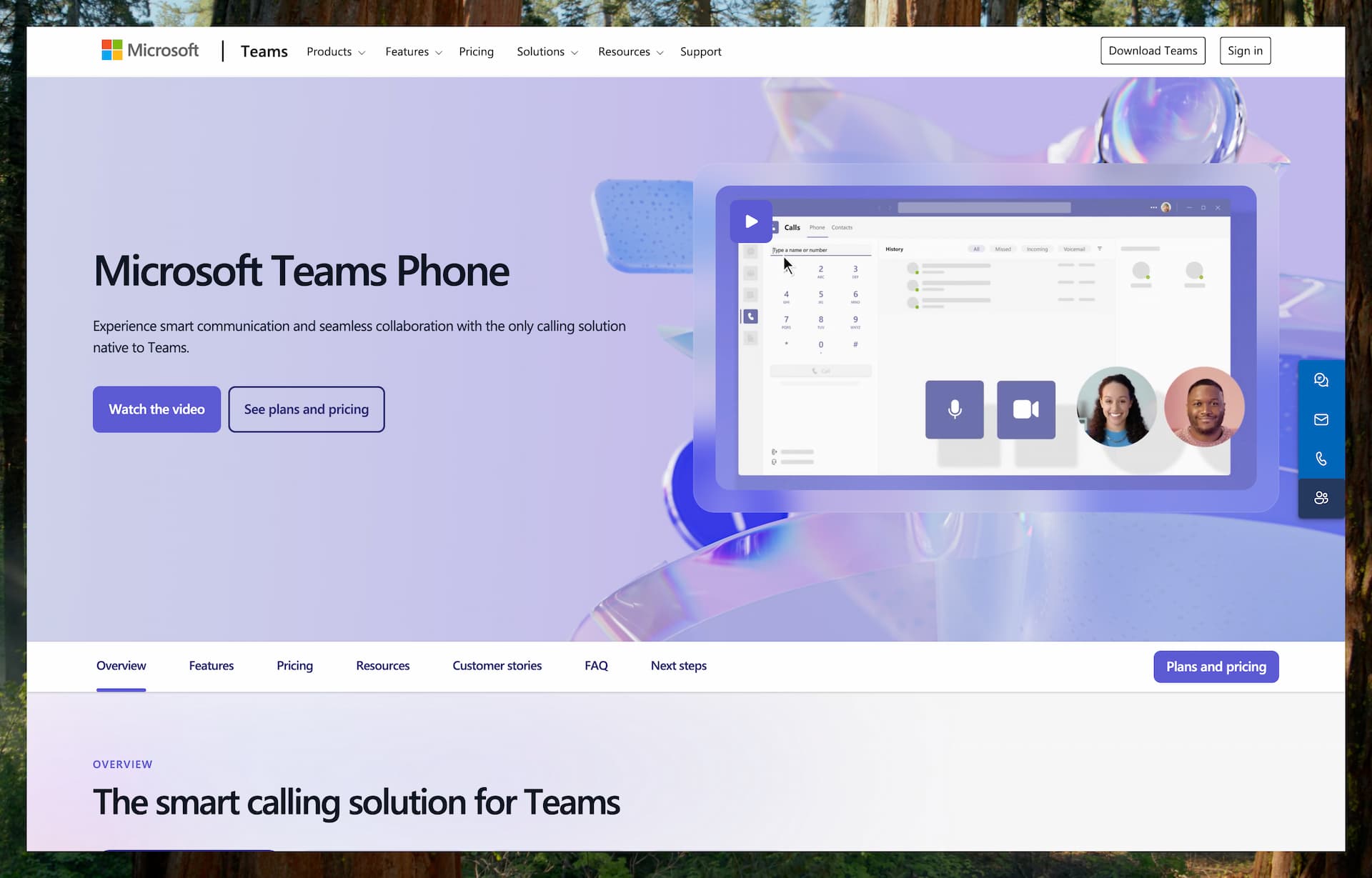
Microsoft Teams can be used to call phone numbers when combined with the Teams Phone service. It inherits many of Skype's calling features and is positioned as Skype's successor within Microsoft's broader communications ecosystem.
In practice, Teams Phone feels less like a consumer-friendly Skype replacement and more like a cloud migration destination for business PBX systems.
So while it is still an important option to include in this list, as a practical Skype alternative for most individuals, it is somewhat overpowered.
Features
Microsoft Teams Phone integrates a cloud PBX into Teams so that internal and external calls are consolidated on one platform. You can make and receive calls under the same main number from a PC, smartphone, or dedicated IP phone, and remote workers do not need to install or set up desk phones.
Core features include inbound and outbound calling, call transfer, hold, and voicemail. Advanced options such as auto attendants, call queues, and automatic voicemail transcription give it a feature set on par with, or even superior to, a traditional PBX.
Because users and licenses are managed centrally in the Microsoft 365 admin center, reassigning numbers when staff levels or organizational structures change takes only a few clicks. The low administrative overhead makes this solution suitable for large enterprises and call centers.
Pricing & Plans
The easiest way to understand Teams Phone pricing is to think of it as having up to three layers of cost, depending on your market and setup:
- A qualifying Microsoft Teams or Microsoft 365 license
- A Teams Phone license or bundle
- A PSTN connection so you can call regular phone numbers, either through Microsoft Calling Plans or through another provider setup such as Operator Connect, Direct Routing, or Teams Phone Mobile
That means Teams Phone can be straightforward in some countries and more complex in others. In some markets, Microsoft sells bundled plans that combine the phone system and PSTN access into one package. In other cases, especially for business deployments, you may need to assemble the pieces separately.
As just one example, Microsoft's current U.S. pricing page lists the following options:
- Teams Phone Standard: $10/user/month, paid yearly. This is the core cloud phone system and does not include a Microsoft-provided calling plan.
- Teams Phone with pay-as-you-go calling (country zone 1 - U.S.): $13/user/month, paid yearly. This includes Teams Phone Standard plus metered outbound calling from Microsoft.
- Teams Phone with Calling Plan (country zone 1 - U.S.): $17/user/month, paid yearly. In the U.S., UK, and Canada, this includes a phone number plus 3,000 outbound domestic calling minutes from Microsoft.
- Teams Phone with domestic and international calling: $34/user/month, paid yearly. In the U.S., UK, and Canada, this includes a phone number plus 3,000 outbound domestic minutes or 600 outbound international minutes from Microsoft.
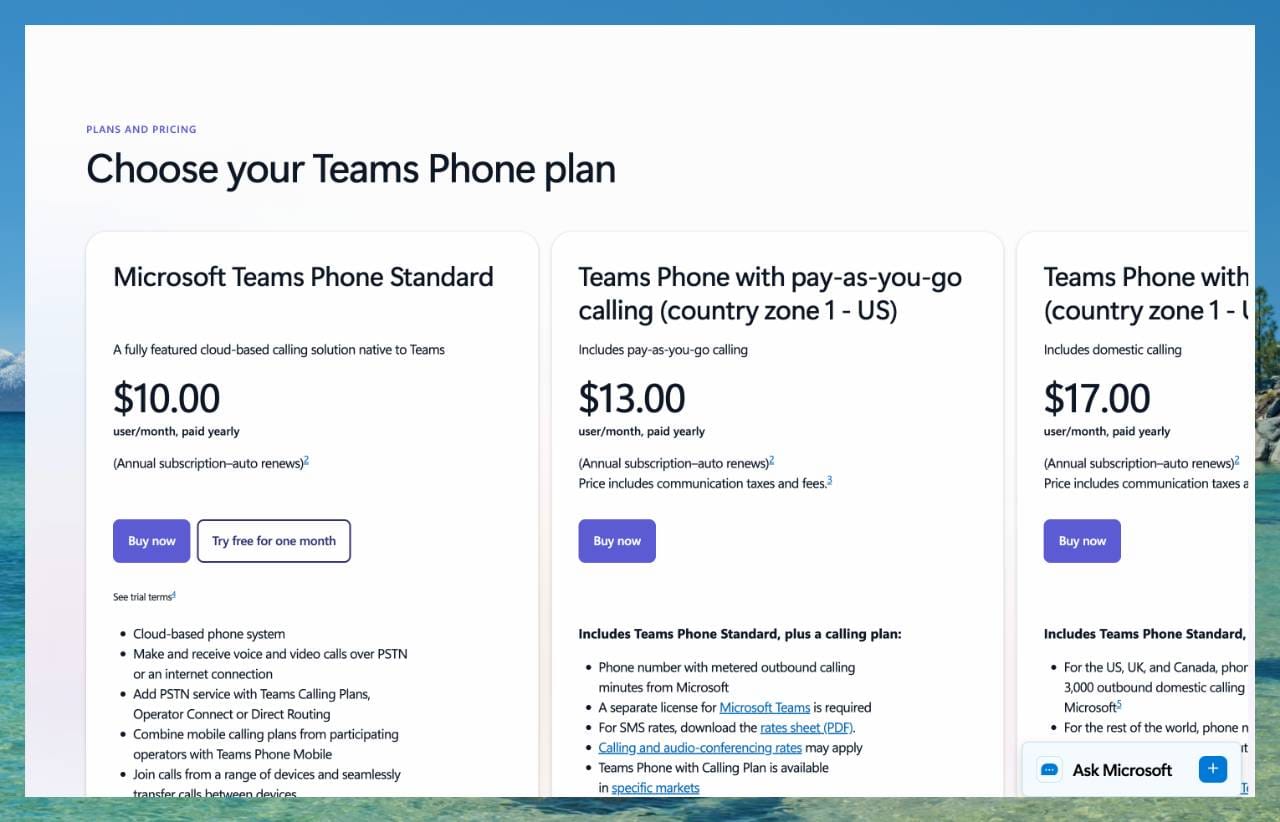
These are monthly subscription prices based on an annual commitment. In practice, the Calling Plan and pay-as-you-go options are the ones that add Microsoft-provided PSTN calling, while the exact number setup can vary by market and plan.
Pricing and availability vary by country and setup, so the actual combination of licenses, calling options, and monthly cost may differ outside the U.S.
Microsoft also offers a 1-month free trial for Teams Phone Standard on the official pricing page.
*The prices mentioned here reflect standard U.S. rates at the time of writing.
Supported Countries/Regions
Microsoft Teams itself is available globally, and anyone can sign up for the free version. However, the ability to call regular phone numbers using Teams Phone is limited by region.
Microsoft offers Calling Plans and phone numbers only in select countries. For example, the United States is fully supported, along with many European countries and parts of Asia. However, not all countries have access to PSTN calling features.
In short, while Teams can be used worldwide for internet-based communication, access to Teams Phone calling features depends on whether Microsoft supports PSTN service and phone numbers in your market.
As for where you can call, Teams Phone users can typically reach numbers in most countries around the world. However, emergency calling is usually only supported in your home country, and not at all if you're using Teams purely over the internet without a local number.
Pros & Cons
Pros:
Microsoft Teams offers much more than just voice calling. It combines chat, video meetings, file sharing, and collaboration tools into a single platform. This makes it especially appealing for users who want a complete communication solution, not just a phone service. Microsoft describes Teams as a “modern communications and collaboration hub”, highlighting its broad feature set.
Another key advantage is that it inherits Skype’s core calling capabilities (one-on-one and group calls, etc.) while being continually updated by Microsoft. As mentioned in their blog post, Teams is officially the next home for those users, ensuring ongoing support and future feature upgrades.
Cons:
Unlike Skype’s former pay-as-you-go option, Teams Phone requires a monthly subscription. There’s no way to pay per minute, which may be inconvenient or costly for users who only need to make occasional calls.
Geographic availability is another limitation. Microsoft’s calling plans are only supported in select countries, so users in unsupported regions won’t be able to purchase a plan or get a phone number through Teams. This makes it a less viable Skype alternative in certain parts of the world.
The setup process can also be overwhelming. Teams is designed primarily for business use, which means users need to deal with licensing, number management, and system configuration—steps that may feel unnecessary for someone just looking for a simple way to make a phone call.
Finally, Teams requires users to sign in with a Microsoft account. There’s no option to make a quick, anonymous, or one-time call without creating an account, which adds another barrier for casual users.
Target Users
For individual users who relied on the consumer version of Skype for cheap, ad-hoc international calls to landlines and mobile numbers, Teams Free does not inherently offer the same low-cost direct-to-PSTN international calling. Purchasing Calling Plans for external numbers in Teams is typically tied to a more business-oriented setup.
In essence, Microsoft replaced a consumer-focused peer-to-peer calling service (Skype) and a business communication platform with a unified, cloud-native collaboration platform. Its telephony features, including international calling, cater more to business needs than personal ones.
Using Teams Phone as a replacement for Skype in a personal context can be impractical due to cost and complexity. However, it may still be a workable solution for small business owners, sole proprietors, or freelancers who are already subscribed to Microsoft 365.
Zoom Phone
Zoom Phone is a cloud-based VoIP phone system offered by Zoom. It integrates with Zoom’s ecosystem, allowing users to make and receive phone calls, send SMS, and use voicemail within the same Zoom application used for video conferencing and team collaboration.
If you're simply looking for an outbound-only tool like Skype Out, Zoom Phone may be more than you need. But for freelancers, small business owners, and people who regularly handle international work calls, it can be a much more practical long-term option.
Features
Zoom Phone is a fully featured cloud-based phone system available through the Zoom platform, allowing users to make and receive calls to and from regular phone numbers using VoIP technology.
Each user can be assigned a dedicated phone number or extension, and local numbers are available in 49 countries and regions. In most cases, it is also possible to port in an existing number that you are already using.
All essential call features are included, such as call forwarding, hold, advanced routing options, and multi-party conference calls. A built-in voicemail feature is also available, with automatic transcription of messages that can be viewed directly in the app or via email.
SMS functionality is supported, although currently limited to phone numbers in the United States and Canada. (*SMS/MMS is also supported for Australian and UK numbers, but only with the purchase of a calling plan.)
In addition to core calling features, Zoom Phone offers advanced capabilities such as on-demand and automatic call recording, call screening, block lists, auto attendants (IVR), customizable hold music, shared line groups, and integration with CRM tools like Salesforce.
Zoom Phone can be used through the Zoom desktop and mobile apps, and it also works with supported IP desk phones. This allows users to make and receive calls using the same number across multiple devices, providing a consistent experience regardless of the device.
Pricing & Plans
Zoom Phone is a paid subscription service available to both businesses and individual users, with pricing and plan options varying by country.
For reference, Zoom's current U.S. pricing now shows Phone + Workplace Basic (US & CA Unlimited) at USD 16/user/month when billed annually. Zoom also notes that metered calling is available at checkout for $10.50.
On top of that, Zoom is promoting bundled plans such as Phone + Workplace Pro (Pro Plus) at $17.43/user/month billed annually and Phone + Workplace Business (Business Plus) at $20.83/user/month billed annually. These bundles are more attractive if you already use Zoom Meetings, chat, and other Workplace features alongside phone service.
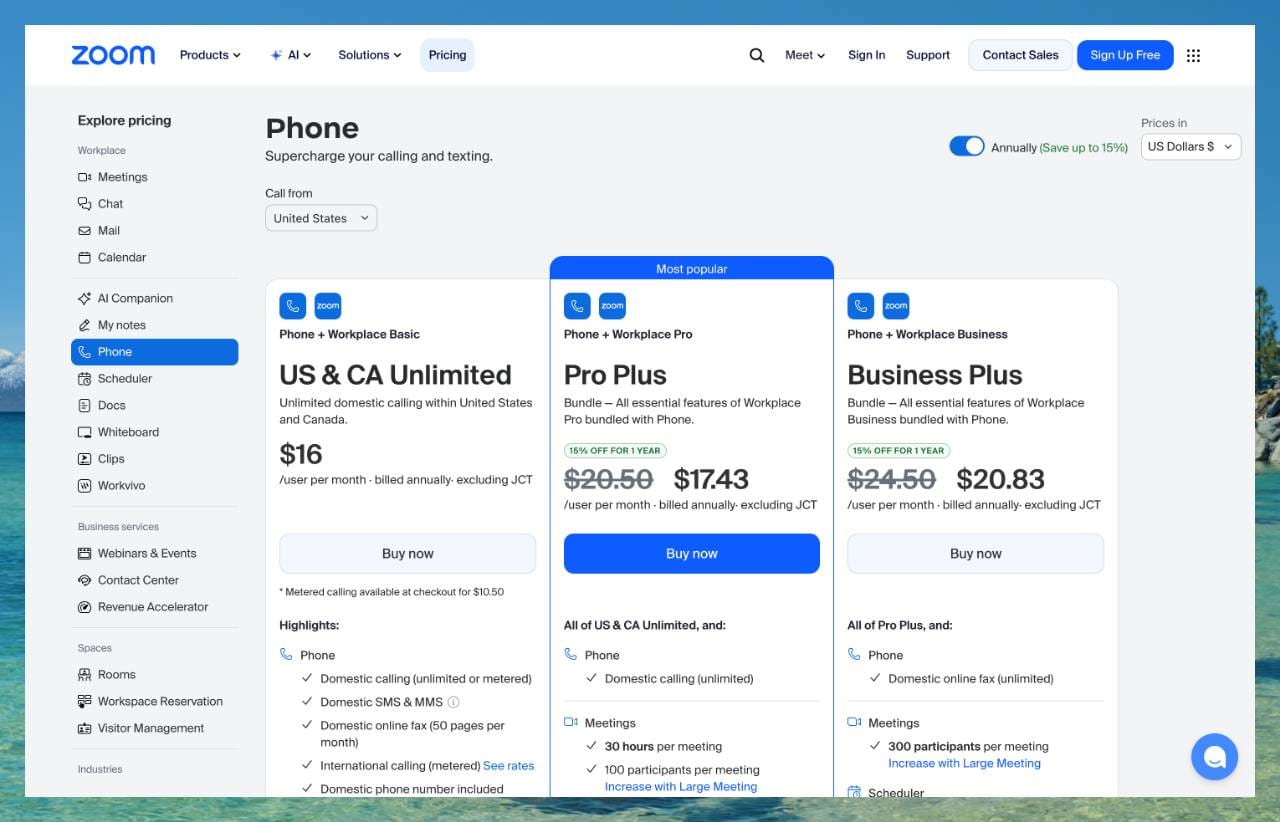
You can check Zoom's current pricing on the official Zoom Phone pricing page.
International calling and SMS to numbers outside your plan are billed separately at per-minute rates, and Zoom provides a detailed rate card that covers over 150 countries so you can check the specific costs before making international calls.
Supported Countries/Regions
Zoom Phone is available to users in many countries, but the ability to obtain a local phone number is currently supported in 49 countries, including the U.S., Canada, UK, most EU countries, Australia, Japan, and others. In these regions, Zoom can act as the official telephony provider.
Zoom also offers toll-free numbers in over 50 countries, which can be useful for customer-facing businesses.
If you're located outside of the supported 49 countries, you can still use Zoom Phone through the Bring Your Own Carrier feature or by assigning numbers from third-party providers via Zoom’s Provider Exchange.
In terms of outbound calling, Zoom Phone supports international calls to over 150 countries and regions. These calls are either included in your plan or billed at per-minute rates.
The Zoom app works anywhere you have an internet connection, so you can use Zoom Phone globally, just like you would use the regular Zoom platform while traveling. However, SMS messaging is currently limited to phone numbers based in the U.S. and Canada for both sending and receiving.
Emergency calling is also subject to local limitations. For example, in the U.S., Zoom requires a registered physical address to enable 911/E911 support.
Pros & Cons
Pros:
Zoom Phone delivers a full-featured phone service that integrates seamlessly with the broader Zoom platform. For individual users, this means you can have a personal cloud-based phone line with features typically reserved for business systems. Key highlights include unlimited domestic calling where supported, high-quality audio, voicemail transcription, call recording, and SMS.
International users benefit from the ability to obtain local numbers in many countries and make global calls from a single account.
Another major advantage is multi-device support. You can take calls on your smartphone, computer, or even a compatible desk phone, offering flexibility across different setups.
Zoom also places strong emphasis on reliability and security. If you ever scale up to business use, it supports integrations with platforms like Slack, Salesforce, and more.
Cons:
While Zoom Phone is accessible to individuals, it's primarily designed for businesses. As a result, it may not feel as intuitive or lightweight as typical consumer-focused calling apps.
There is no free version. You'll need a monthly subscription per user. For those who only make occasional calls, this can feel like overkill, especially since Zoom Phone includes advanced features like auto-attendants and call queues that most individuals won't use.
The setup process may also be a bit more involved, as it's tied into Zoom's admin settings, which are more business-oriented.
SMS functionality is another limitation. It's currently only available with U.S., Canada, UK, and Australian numbers, so if you have a number from another country, SMS won't be supported.
Best Use Cases
Zoom Phone is a great fit for users who need a reliable, full-featured phone line, either as a replacement for a traditional phone plan or as a second number. While it's officially marketed as a business phone system, tech-savvy individuals can also use it for personal or professional needs.
It's especially useful if you want a virtual number in another country. For example, if you're living abroad but want a U.S. number so family or clients can reach you easily, Zoom Phone makes that possible with local numbers in many regions.
Remote professionals, freelancers, and entrepreneurs may also find Zoom Phone ideal. It offers business-grade features like voicemail, call routing, and call recording, without the cost or complexity of enterprise phone systems.
Because it integrates directly with Zoom Meetings, it's a strong option for consultants or small teams who want to handle voice calls and then seamlessly transition into video meetings or screen sharing.
That said, for casual personal use, like the occasional call to a relative, Zoom Phone may be more than you need. But for power users looking for a flexible, cloud-based calling solution with advanced features and multi-device access, it functions like a personal PBX, delivering both reliability and convenience.
Talk360
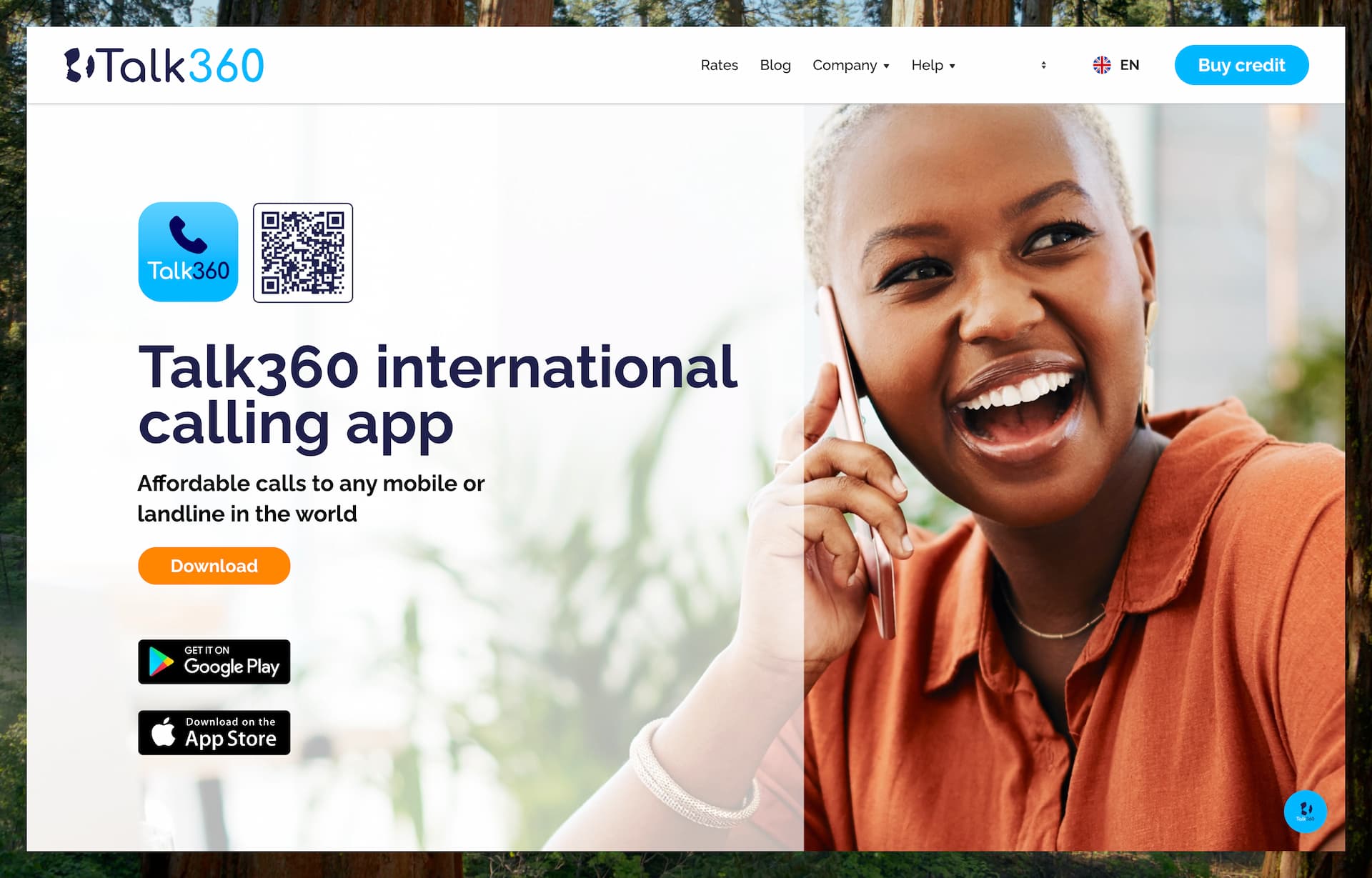
Talk360 is a VoIP calling app that allows users to make international phone calls to any mobile or landline number worldwide without requiring the recipient to have the app or an internet connection.
Features
Talk360 is a consumer-focused app built specifically for making international voice calls. It allows you to call any landline or mobile number worldwide directly from the Talk360 smartphone app.
The service functions much like a modern version of a calling card. It acts as a phone bridge, connecting your internet-enabled app to the traditional telephone network.
Talk360 emphasizes high-quality voice calls, even over long distances and to remote areas, by using local telephony gateways to optimize call routes.
Talk360 is designed for outgoing calls only. It does not assign you a personal phone number, so it is not meant for incoming calls, voicemail, or SMS. The service is voice-centric by design.
Using the app is straightforward. You simply dial a number or select a contact, and Talk360 connects the call. It includes an in-app keypad, contact list integration, and a simple, user-friendly interface available in multiple languages.
You can purchase call credit in various currencies using a wide range of payment methods. Talk360 also offers a free trial—your first 1-minute call is free, so you can test the service before committing.
The app works over any internet connection, including Wi-Fi and mobile data. However, Talk360 account setup is tied to phone-number registration and verification, even though the person receiving your call does not need the app or internet access.
Pricing & Plans
Talk360 uses a pay-as-you-go model, with no subscriptions or monthly fees. You simply buy calling credit—either through the app or on the Talk360 website—and the cost of each call is deducted on a per-minute basis.
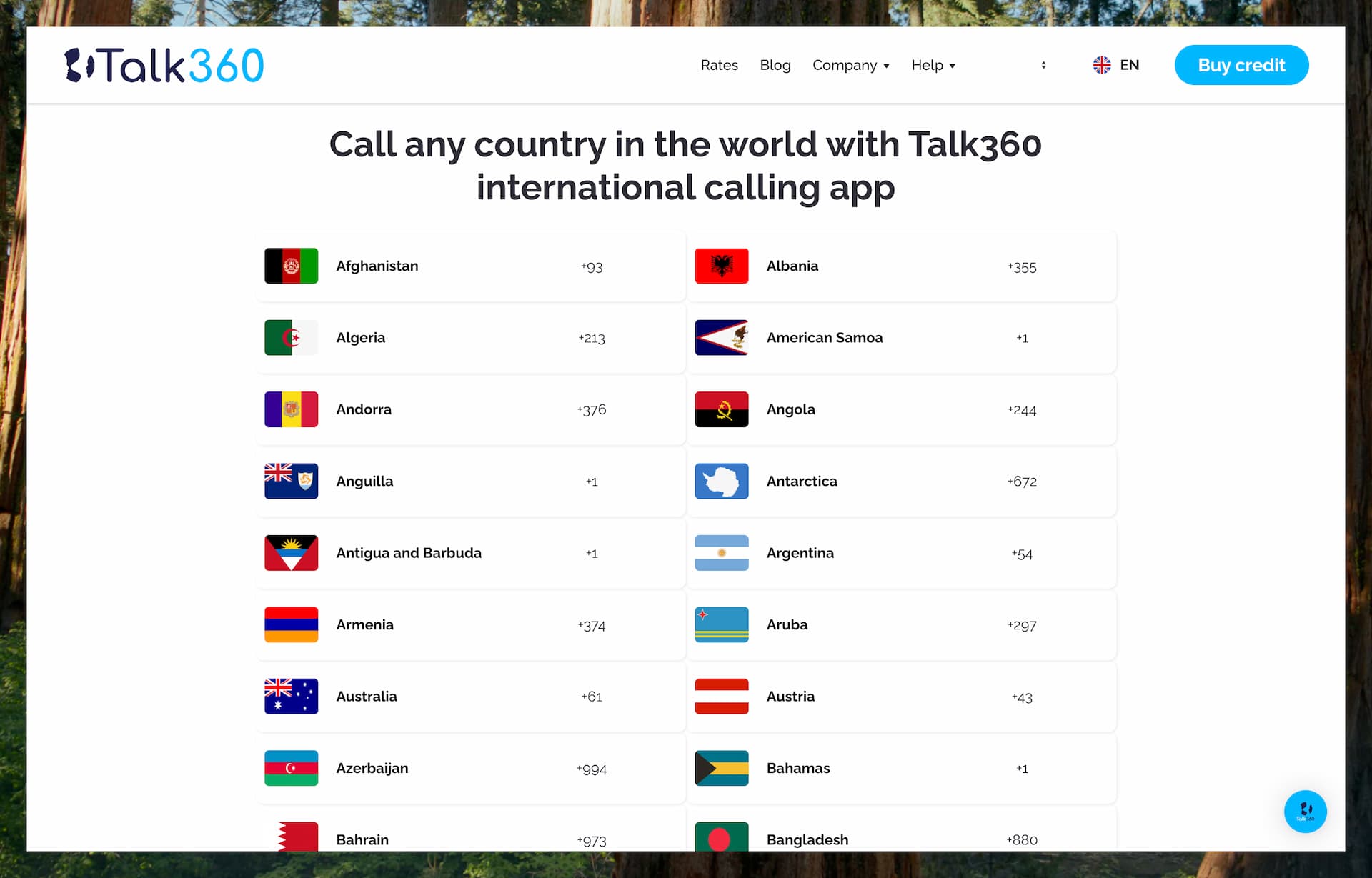
Call rates vary depending on the destination and whether you're calling a mobile or landline number. Talk360 advertises affordable rates to all supported countries. For example, calls to mobile numbers in Nigeria might cost around $0.10 per minute, while calling India can be as low as $0.02 per minute.
They publish a full rate list on their site.
One of the standout features is localized pricing. Talk360 supports payments in over 30 currencies and offers a variety of local payment methods, including mobile money and bank transfers in certain regions. This is especially helpful in countries where international credit cards are not widely used.
While Talk360 doesn't offer fixed monthly plans, they occasionally run promotions and bundle deals, and users may receive bonus credit for large top-ups or through referral programs.
New users get a free 1-minute trial call to test the service. After that, you can top up as needed, which keeps the service flexible and low-commitment for occasional international calls.
Pros & Cons
Pros:
Talk360 focuses on reliability and accessibility. One of its biggest advantages is that the person you’re calling doesn’t need anything except a phone. Unlike messaging apps like WhatsApp or Facebook Messenger, you can reach anyone with a landline or mobile number—even if they don’t have internet access. This makes it ideal for calling parents, grandparents, or businesses that aren’t on modern apps.
The app is extremely easy to use. There are no contracts or subscriptions—just install it, add credit, and start calling.
A standout feature is the ability to pay in local currency using a wide range of payment methods, including mobile wallets and bank transfers in some regions. This is especially helpful for users who don’t have access to credit cards.
Pricing is transparent and charged per minute. You even get a free 1-minute trial call to test the service. Since there’s no subscription, you’re not locked in—just top up as needed.
Talk360 is particularly useful for making international calls to people who are offline, positioning it as a strong alternative to Skype. Its regional focus also means it often offers competitive rates to countries in Africa and Asia, where international calling costs can be high.
Cons:
The simplicity of Talk360 also comes with limitations. It doesn't offer extra features like SMS, voicemail, or personal phone numbers. It’s designed purely for outbound voice calls, so it can’t replace having a phone line or number.
Talk360 is mobile-app only and there’s no desktop client, though you can top up credit through their website.
While the per-minute rates are affordable, frequent callers may find that costs add up over time. There’s no unlimited calling plan, so if you talk for hours regularly, other services might offer better value.
Because the service relies on internet connectivity on the caller’s side, call quality may suffer on weak connections. That said, Talk360 uses local gateways to help maintain stable calls where possible.
Lastly, caller ID behavior should not be treated as guaranteed in every market or route, and Talk360 doesn’t support emergency calls or any kind of text messaging. But if your primary need is making occasional international voice calls to offline recipients, these trade-offs are often acceptable.
Best Use Cases
Talk360 is ideal for anyone who needs a simple, affordable way to stay in touch with family and friends abroad—especially when the people you’re calling aren’t tech-savvy or don’t have internet access. The service is often used to connect with relatives in rural areas or across continents, making it a great tool for bridging long-distance communication gaps.
It’s especially well-suited for expats, migrant workers, and international students who need to call home. For example, if you're an expat from Kenya living in the U.S., you can use Talk360 to call a family member’s landline or basic mobile phone back home—no smartphones or apps required on their end.
Travelers can also benefit from Talk360 when they need to make occasional calls to airlines, hotels, or banks in other countries, without facing high roaming charges. It’s a convenient backup calling option when your regular phone plan's international rates are too expensive.
Because it’s pay-as-you-go and requires no subscription, Talk360 is a great “just in case” app. You can buy $5 of credit and make that urgent call without commitment. The free 1-minute trial makes it easy to test, so it’s a low-risk option for anyone looking for a reliable international calling solution.
Google Voice
Google Voice is a VoIP service by Google that provides users with a virtual phone number for making and receiving calls, sending text messages (SMS), and managing voicemail. It is available for both personal use (free in the U.S.) and business use (paid plans through Google Workspace).
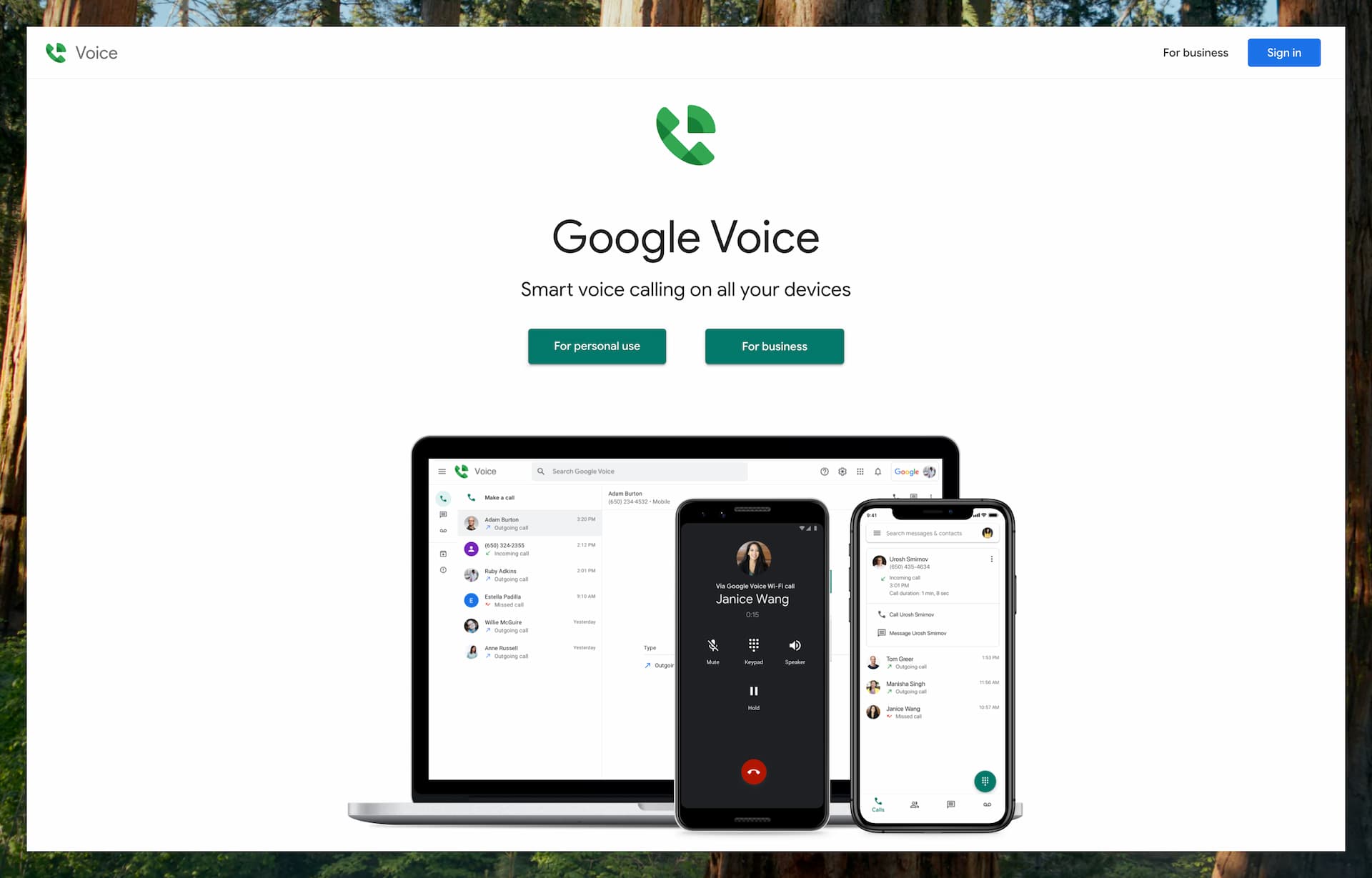
For consumers, Google Voice is fundamentally a U.S.-focused service. However, business Voice plans through Google Workspace are available in a limited set of supported countries beyond the U.S., making the platform somewhat broader on the business side than the personal version.
Features
Google Voice (personal edition) provides users with a free U.S. phone number for calling, texting, and voicemail. It works through the Google Voice mobile app or website, allowing you to make and receive calls over the internet from virtually anywhere.
You can also forward incoming calls to your regular phone number, making it easy to stay reachable whether you’re using the app or not.
Google Voice includes a wide range of features typically found in paid services. These include voicemail with transcription, call screening, spam blocking, caller ID controls, and conference calling. On the business side, Google also ties Voice into Google Workspace tools such as Google Calendar and Google Meet, which can make it more convenient for users already living in Google’s ecosystem.
Texting is more limited than the calling experience. With a Google Voice number, you can send texts at no extra charge to U.S., Canadian, and Puerto Rican numbers, but it is not designed as a broad international SMS service.
The service functions as a full phone line replacement and integrates seamlessly with your Google account. Outgoing calls made from the app use VoIP, but you also have the option to route calls through a linked phone number when needed.
Pricing
For personal use in the United States, Google Voice is completely free. It includes essential features such as unlimited calling and texting to phone numbers within the U.S. and Canada.
If you need to call internationally, Google Voice offers low per-minute rates. In many cases, rates are still just a few cents per minute. For example, calls to the UK have commonly been listed from around 1 cent per minute, while calls to Japan have often started at around 2 cents per minute, making it a budget-friendly option for occasional international calls.
For business users, Google Voice is available as an add-on to Google Workspace with three main plans: Starter at $10 per user/month, Standard at $20 per user/month, and Premier at $30 per user/month. Higher tiers add features such as more advanced routing, ring groups, auto-attendants, and richer reporting.
Supported Regions
The personal version of Google Voice is officially available only in the United States. To sign up, you need a U.S. phone number to verify your account and claim a Google Voice number.
Once you’ve set it up, you can use the service from anywhere in the world to make free calls to the U.S. and Canada, or to place international calls at low per-minute rates.
Google Voice for Google Workspace (the business version) is available in a limited set of countries beyond the U.S., including Canada, the U.K., and several countries in Western Europe such as France, Germany, Ireland, Italy, the Netherlands, Spain, and Switzerland. Even so, it is not a globally available service in the way some Skype alternatives are.
Because of this, Google Voice is most relevant for people who want a U.S. number, already have a U.S. number for setup, or want low-cost international calling from a U.S.-centric account.
Pros & Cons
Pros:
It’s hard to beat the value of free unlimited calling and texting within the U.S. and Canada. Google Voice gives you a permanent phone number that works across devices, including your web browser, Android phone, and iPhone.
It also integrates seamlessly with other Google services like Gmail and Google Calendar, making it convenient for users already in the Google ecosystem.
Additionally, you can port an existing number into Google Voice if you want to keep your current one. For anyone who specifically wants a real U.S. number with solid built-in calling features, Google Voice remains one of the most attractive low-cost options.
Cons:
The biggest limitation is that Google Voice for personal use is restricted to U.S. residents. You must have a U.S. phone number to sign up, which makes it largely inaccessible for international users.
Another downside is the nature of support. Like many Google products, customer support is largely self-service, relying on help articles and community forums rather than direct assistance.
It’s also important to keep your expectations in check on the messaging side. Google Voice works well for everyday texting in supported markets, but it should not be treated as a universal SMS solution for every country, workflow, or verification use case.
Yadaphone
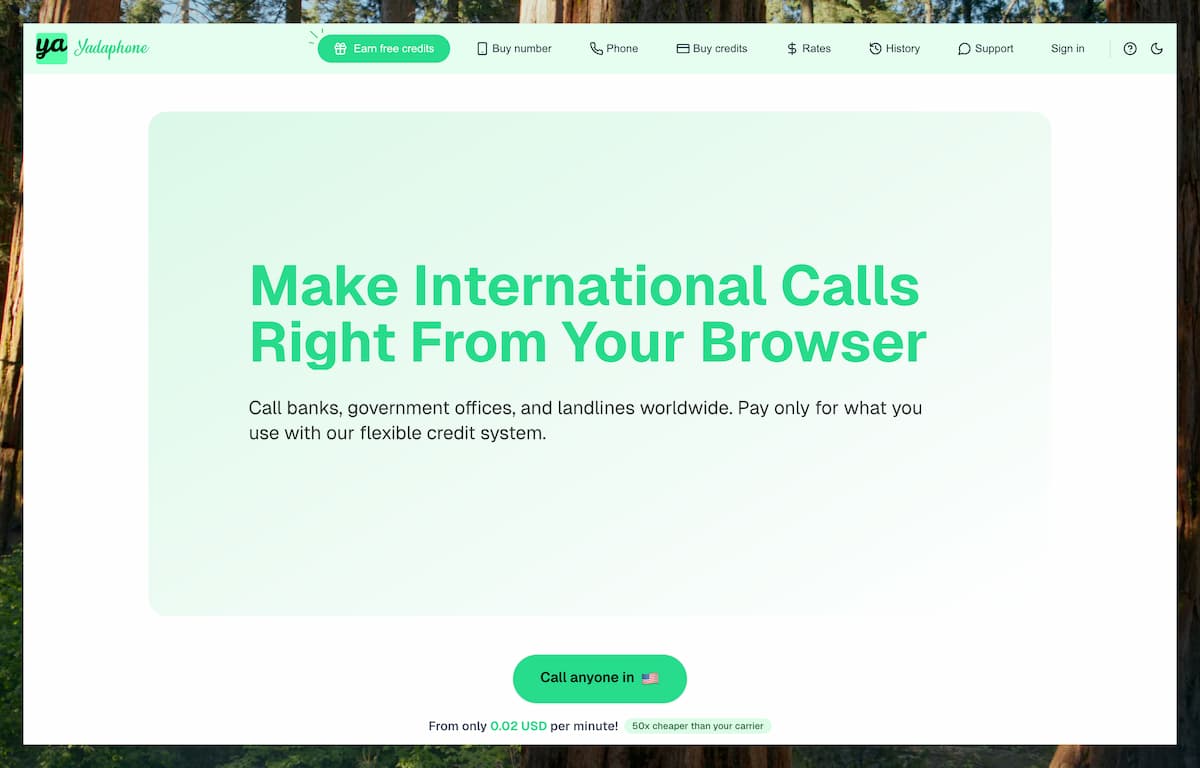
Yadaphone is a VoIP calling service that enables users to make and receive international calls through a web browser. The service operates on a pay-as-you-go model and does not require the installation of any applications or a subscription. It is positioned as a browser-based alternative to traditional VoIP services such as Skype for landline and mobile calls.
It is also a relatively new entrant in this category, which means the platform still feels lightweight and focused compared with more mature all-in-one communication tools.
Features
Yadaphone allows users to place and receive calls on any internet-connected device through a web browser, whether that is a laptop, tablet, or smartphone. To make calls, users first create an account and load credits, then start calling directly from the browser without downloading anything.
Under the hood, Yadaphone connects to the PSTN network through several underlying VoIP infrastructure providers. All calls require an internet connection and are routed through Yadaphone's pool of phone numbers.
Recipients will see one of these numbers based on the caller’s region. However, users can also set their existing mobile number as the caller ID at no additional cost. After verification, this allows recipients to return calls directly to the user’s personal number.
To receive inbound calls, users need to purchase a virtual phone number. At the time of writing, these numbers are focused on the U.S. and Canada. Incoming calls can be answered directly in the browser, or forwarded to a personal number if preferred.
Yadaphone also supports organizational accounts for teams and businesses. With an enterprise plan, administrators can set up an organization, add team members, and track call activity through an analytics dashboard, including call destinations, answer rates, and overall cost management.
Pricing
Yadaphone follows a pay-as-you-go model with no monthly subscriptions or hidden fees. Users load credit in advance and are charged per minute based on the destination.
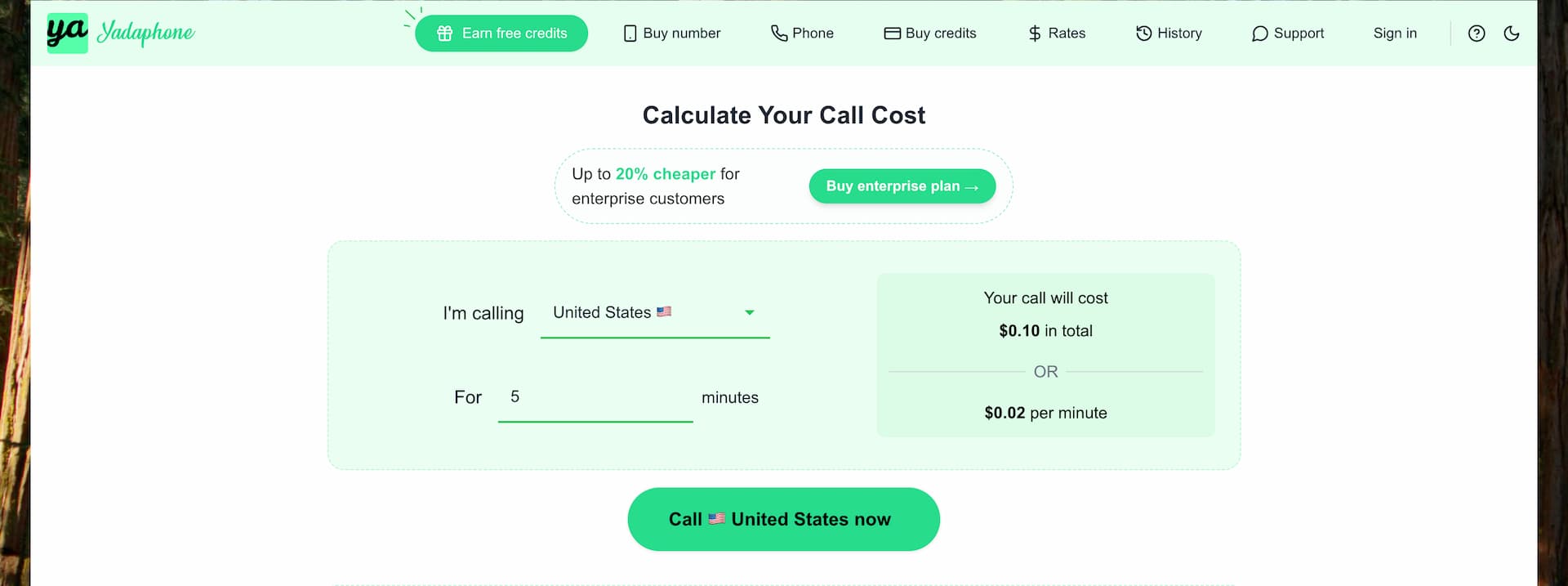
Like most Skype alternatives in this category, rates vary depending on the destination country and whether you are calling a landline or a mobile number. A rate calculator is available to check pricing before you call, and the interface also shows the real-time per-minute cost during a call.
For example, calls to the U.S. start at around $0.02 per minute.
Credit packs are available in $5, $20, $50, and $100 denominations, with bonus minutes provided for larger packs. For example, a $50 credit pack includes a 5% bonus.
A $5 credit typically provides about 4 hours of calling to the U.S. Users can also enable an auto top-up feature to prevent call interruptions when the balance drops below a set amount. A five-minute grace period helps ensure calls are not cut off immediately if the balance goes negative.
Phone numbers from the U.S. and Canada can be purchased for $1.95/month, and no proof of local residency is required. Users can also select their preferred area code during checkout.
Enterprise plans start at $150 and offer 15% discounted calling rates compared to individual users. These plans also unlock team-based features like analytics, cost tracking, and centralized credit management.
Pros & Cons
Pros:
Yadaphone operates on a pay-as-you-go model, with no monthly subscriptions or long-term commitments. Users pay only for the minutes they use. Call rates are displayed transparently, and a rate calculator is available to confirm costs in advance. There are no connection fees or additional hidden charges.
The interface is simple and user-friendly, and the browser-based setup makes it especially convenient when you do not want to install another calling app.
Yadaphone includes a caller ID verification feature that allows users to display their own mobile number when placing calls. Once verified, recipients can return calls directly to the user's personal phone.
For users who require a U.S. or Canadian phone number, Yadaphone offers virtual numbers at a fixed monthly rate. These numbers are available for purchase globally and do not require local residency documentation.
Cons:
Yadaphone is currently limited to voice calling and does not support SMS or voicemail functionality. This may not meet the needs of users who require messaging features in addition to voice calls.
The service is accessible exclusively through a web browser, with no dedicated mobile application currently available.
Users must rely on a stable internet connection, as the platform is fully VoIP-based. In areas with limited connectivity, call quality may be affected compared to traditional PSTN-based services.
Virtual phone numbers are available for purchase, but they are currently limited to U.S. and Canadian numbers. These can be used globally and do not require proof of local residency, but numbers from other countries are not offered at this time.
Best Use Cases
Yadaphone is suitable for travelers, remote workers, or expatriates who require a flexible and subscription-free option for making international calls. The pay-as-you-go model can be appropriate for users who make calls occasionally and prefer to manage costs upfront rather than through monthly billing.
It can also be a good fit when you need to place a call from a borrowed device, a locked-down work machine, or any environment where app installation is inconvenient or restricted.
Its browser-based design allows users to place calls without installing additional applications, which may be practical for those who switch between multiple devices or prefer a lightweight setup. The ability to set a personal number as the caller ID can help ensure that call recipients recognize the number, which may improve response rates in certain contexts, such as team communication.
For small- and medium-sized teams, the credit-based system provides a scalable way to manage call usage. Enterprise plans do not require long-term commitments, allowing organizations to evaluate the service before scaling up.
DialVia
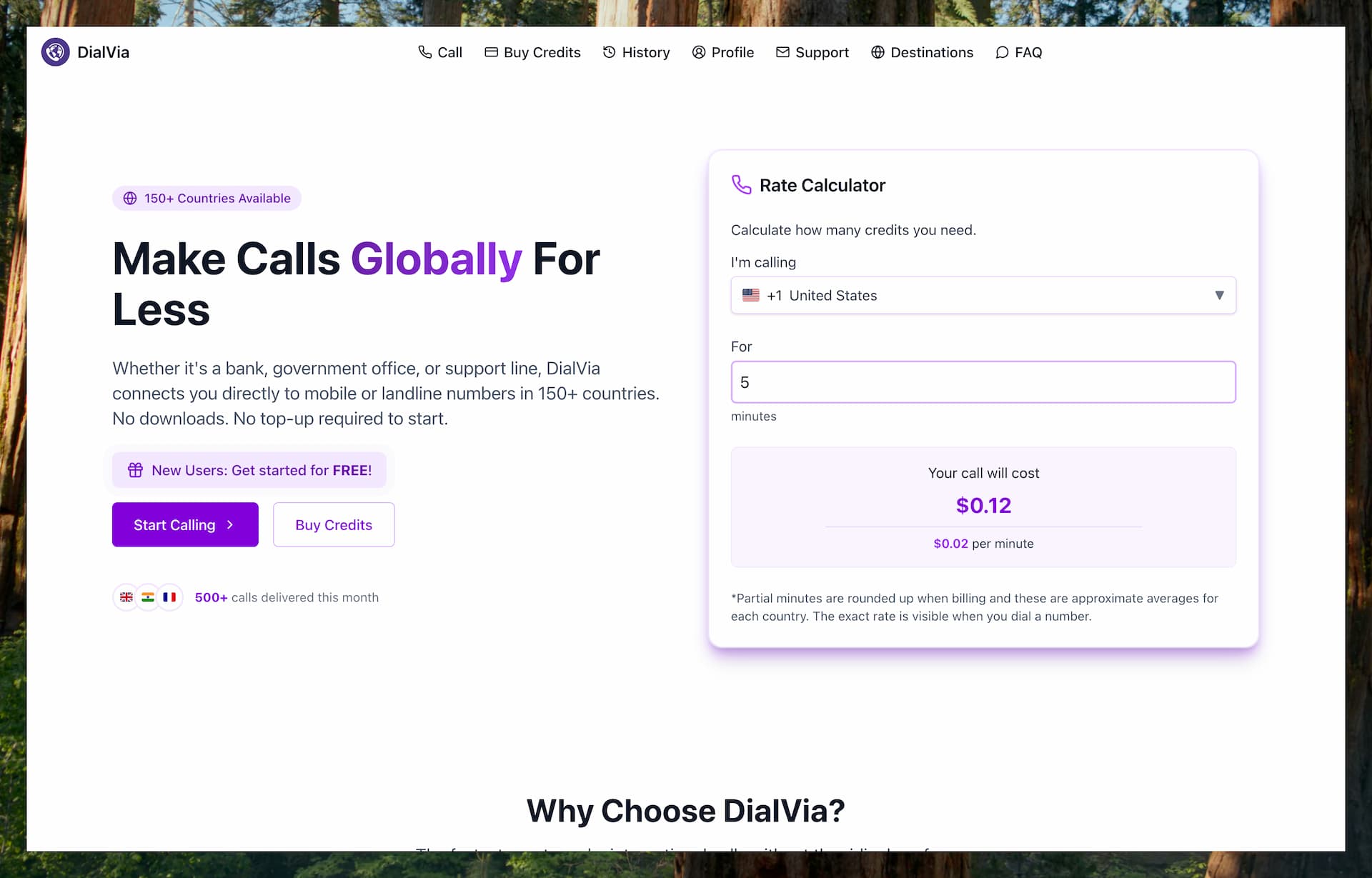
DialVia is a modern, browser-based VoIP calling application that allows users to place international calls to any mobile or landline number globally.
No app, SIM card, or subscription is required, and setup is intentionally lightweight. In practice, it is built for people who just want to open a browser, add credits, and place a call quickly.
Features
DialVia is a browser-based VoIP service that allows users to make international calls to 150+ countries without the need to download apps or install plugins.
After signing up, users first verify their email address, then add credits and begin placing calls directly from their browser. A phone number is not required just to start calling.
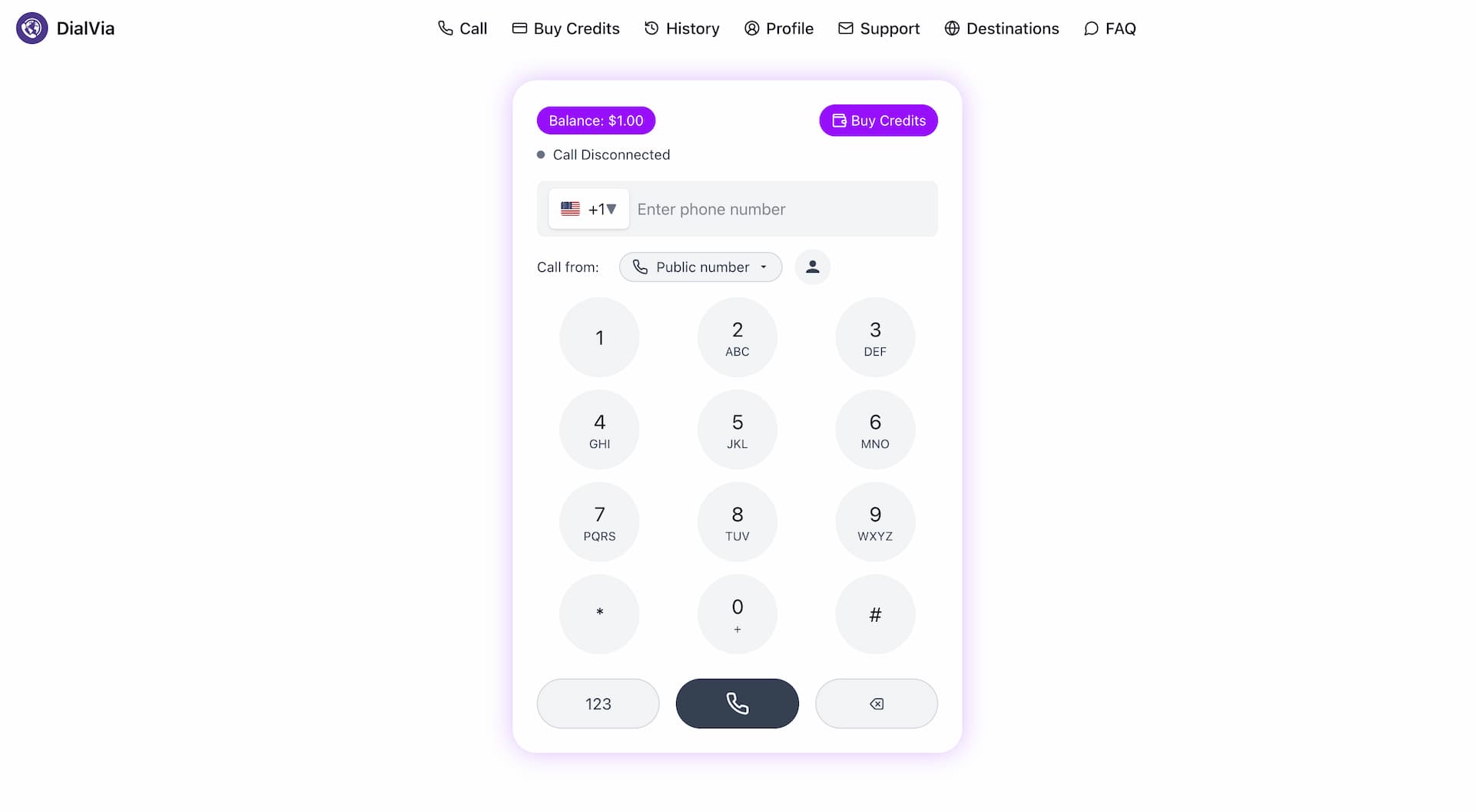
Once registered, users can add credit to their account and make international calls from any internet-connected device. The interface is simple and easy to use. Users just need to enter the number they want to call and start the call.
All calls are routed through Tier 1 VoIP infrastructure and connected to the Public Switched Telephone Network (PSTN), supporting voice calls to both mobile phones and landlines.
Call recipients will see either a public DialVia number or, if enabled, the user's verified personal number. This caller ID option allows users to appear as though they are calling from their own mobile number. Phone verification is only needed if the user wants to display a personal number as caller ID.
Because it runs entirely in the browser, there’s no need for a mobile number, SIM card, or dedicated app.
DialVia also offers a virtual U.S. phone number option for users who want to receive calls in the browser.
Pricing
DialVia uses a pay-as-you-go model with no contracts, subscriptions, or hidden fees. Users only pay for the minutes they use. Call credit is deducted in real time during calls.
Credit top-ups start at $5 or the local currency equivalent. Common bundles shown on the site include $10, $25, $50, and $100, with bonus credit offered on larger purchases. For example, $25 includes a 5% bonus and $50 includes a 10% bonus.
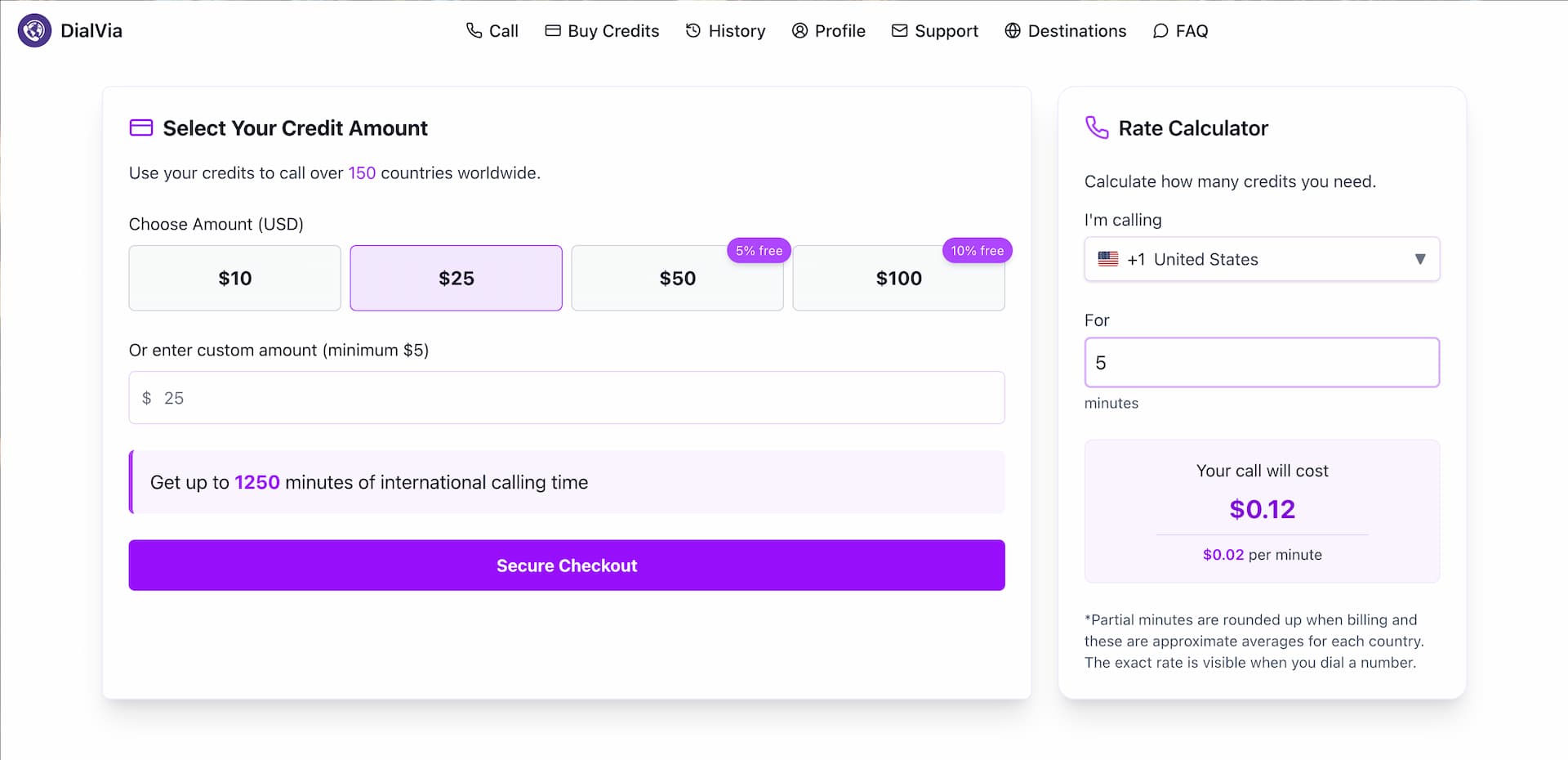
A live rate calculator is available, allowing users to check real-time pricing before placing a call. Typical rates for calling countries such as the US, UK, or India range from 1 to 3 cents per minute.
There are no connection fees or ongoing subscriptions; users are charged only for actual call time.
The interface also displays the live rate and remaining credit balance during each call.
Pros & Cons
Pros
DialVia stands out for its simplicity and flexibility. Users can make international calls directly from a browser without installing any app or using a SIM card. This makes it especially convenient for travelers or anyone using shared or temporary devices.
Another strong advantage is the verified caller ID display. Users can add and confirm their own mobile number so it appears when making calls through DialVia. This is helpful when calling banks, clients, or other organizations that might ignore unknown numbers. After a quick verification process, users can choose their verified number from a dropdown in the dialer, and it will show up as the caller ID for outgoing calls.
Credits also never expire, and the minimum top-up is small. That makes DialVia easy to keep on hand as a lightweight backup calling option rather than a service you feel pressured to use regularly.
Cons
DialVia can support inbound calls if you buy a virtual U.S. phone number, but it still is not designed as a complete replacement for a regular phone plan or a full business phone system.
It also does not appear to focus on broader messaging features such as SMS in the way some other services do, so it is less suitable if you want one app to handle both calling and texting.
For users who strongly prefer native mobile apps, the browser-only approach may also feel limiting.
Best Use Cases
DialVia is a great option for frequent travelers who need to call banks, embassies, or family abroad without using roaming data packages or buying a local SIM. It also works well for remote teams that need to place business calls without relying on physical phone numbers.
Freelancers and entrepreneurs can benefit by appearing more professional or local through the caller ID feature, making it easier to reach clients.
It is also handy for temporary phone access in airports, cafes, or when a primary device is lost or stolen.
Because credits do not expire, it also makes sense for occasional callers who want a browser-based backup option without any subscription pressure.
Rebtel
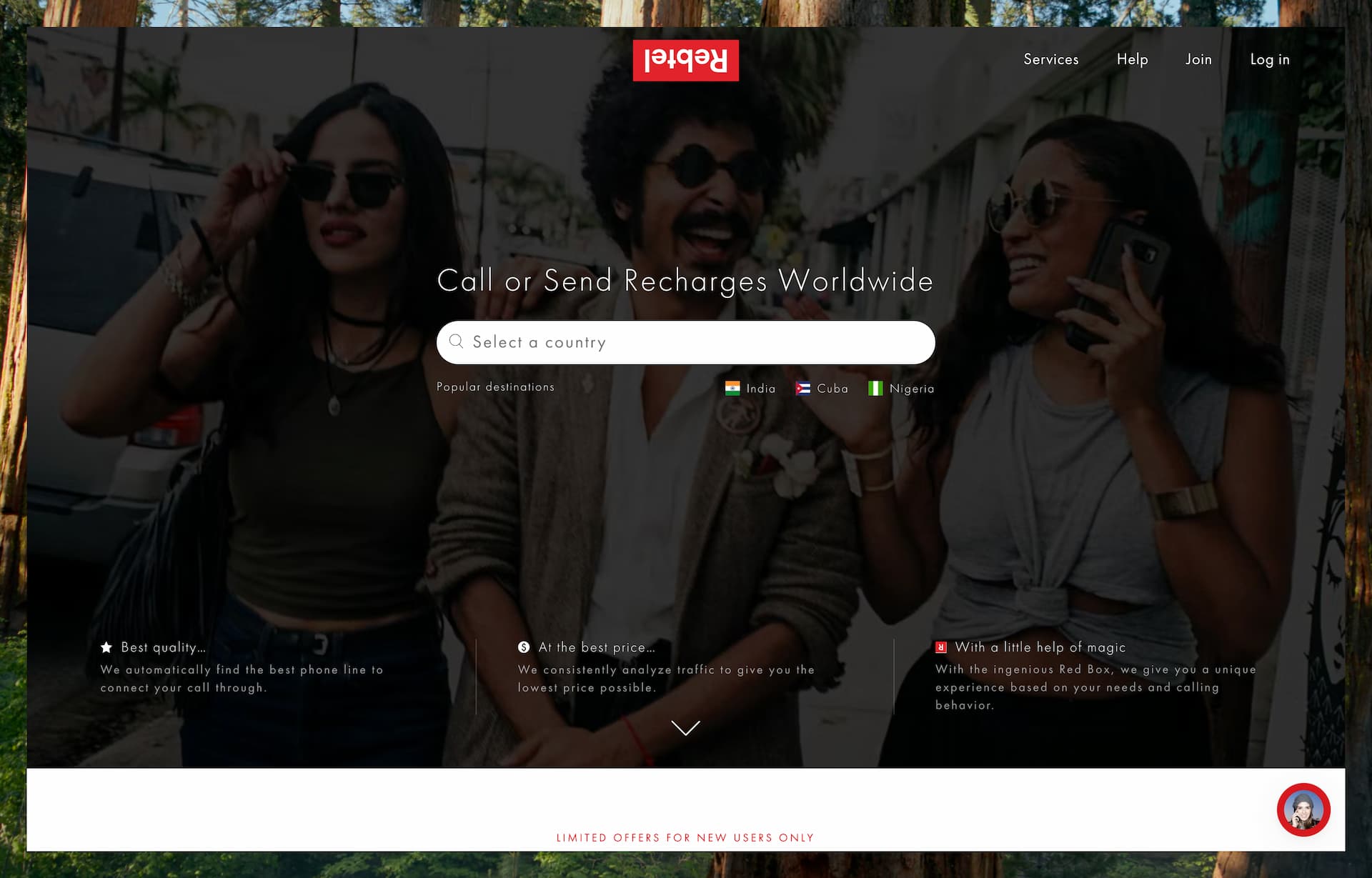
Rebtel positions itself as a leading provider of cheap international calls and mobile top-ups, with a strong emphasis on delivering high-quality voice connections.
Features
Rebtel is designed for international voice calling, offering a unique hybrid approach that combines internet-based calling with local access numbers. While it works like a typical VoIP app over Wi-Fi or mobile data, Rebtel can also route your calls through local phone numbers, which helps avoid internet-related issues like lag or poor audio quality.
For example, when you place an international call through Rebtel, it may dial a local access number in your country, which then connects to the recipient abroad. If local access isn’t available, Rebtel can fall back to Wi-Fi or mobile-data calling inside the app.
The person you’re calling receives a regular phone call. Rebtel does not give you a permanent inbound number, but it does support free app-to-app calling when both people use the app.
The service focuses primarily on voice calls. It does not center its product around video calling, dedicated phone numbers, or broader messaging tools.
Rebtel also offers mobile top-ups to send credit to prepaid phones, though that’s more of a bonus feature.
Rebtel is mainly used through its mobile app, but users can also place calls from regular phones by dialing through local access numbers in supported countries.
Pricing
Rebtel offers flexible pricing to suit different calling needs. For occasional users, the Pay-As-You-Go option allows you to purchase credit and pay only for the minutes you use. This plan supports calls to nearly 200 countries, with rates that vary by destination. For example, calling India is listed at around 2.39 cents per minute. It’s a good option for users who do not want a monthly commitment.
For more frequent callers, Rebtel offers Unlimited Plans for specific countries. These come with a fixed fee and allow unlimited calls to the chosen destination. For example, the India Unlimited plan is currently shown at $12 per month, with a one-week free trial.
There’s also a Global Unlimited Calling plan that covers 50 countries, ideal for those who regularly call contacts across multiple regions.
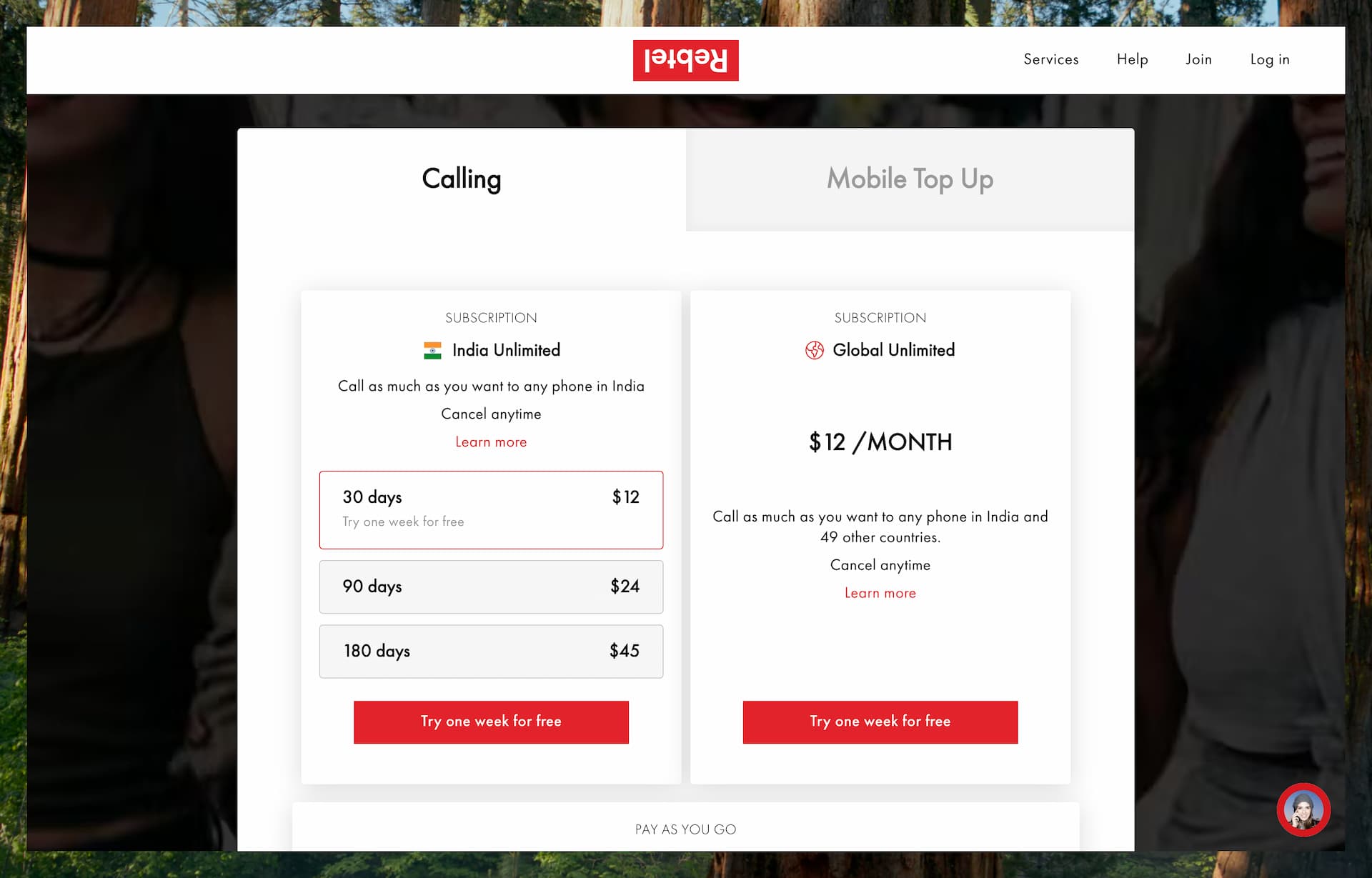
These unlimited plans remove the hassle of tracking per-minute charges and are especially attractive for anyone who makes regular international calls to the same destinations.
Rebtel Credits generally expire after one year of inactivity on the account, while active users can continue to hold credit. Rebtel doesn’t offer a permanent free tier, but it does run welcome offers and one-week subscription trials in some markets.
Supported Regions
Rebtel is available worldwide through its mobile apps, and users can make calls from virtually anywhere using Wi-Fi or mobile data.
One of Rebtel’s standout features is its local access number system, but this is only available in selected Rebtel-supported countries. In those markets, users can place international calls by dialing a local number, which then connects them to their destination.
Even if you're not in a country with local access numbers, you can still use Rebtel’s VoIP calling features over the internet.
Rebtel supports outbound calls to more than 190 countries, and its Unlimited Plans focus on a curated list of high-demand destinations rather than trying to cover every country with a flat-rate subscription.
Pros & Cons
Pros:
One of Rebtel’s biggest advantages is its ability to route calls through local access numbers, which often results in clearer, more reliable connections, even if your internet connection isn’t great. This makes it a strong choice for users who don’t fully trust VoIP call quality.
Plus, the person you're calling doesn’t need to have internet access or the app—they just receive a regular phone call.
Rebtel’s unlimited plans are very cost-effective for frequent callers, offering unlimited talk time to select countries for a flat monthly fee.
The app itself is straightforward and easy to use, making it accessible even for non-tech-savvy users.
Another handy feature is that Rebtel can be used from any phone—including landlines. If you're using a phone with a recognized caller ID, Rebtel can identify you and route your call via a local access number.
Rebtel also highlights its transparent pricing, with no hidden fees, and it gives both occasional and frequent callers a realistic choice between pay-as-you-go credit and unlimited plans.
Cons:
Rebtel does not offer a personal phone number or support for SMS messaging, so it’s not a full communication suite. It’s designed primarily for outbound voice calls.
While calling is available globally, some of Rebtel’s best features—like local access numbers—are only available in select countries. This can be confusing if you expect those features to work everywhere.
Also, while their per-minute rates are generally good, they’re not always the lowest on the market for every destination. Depending on where you're calling, you might find cheaper options elsewhere if you're using a pay-as-you-go model.
And because setup still revolves around a mobile number and app-based identity, it may feel less frictionless than the most lightweight browser-first alternatives in this list.
Best Use Cases
Rebtel is an excellent choice for frequent international callers who prioritize call quality and reliability. If you regularly make long calls to family or friends overseas—especially to the same countries—Rebtel’s unlimited plans can offer significant savings compared to per-minute pricing.
It’s also a great option for users in areas with limited or unstable internet, since Rebtel can route calls through local phone lines. This means you can often place international calls without relying entirely on Wi-Fi or mobile data, making it more dependable in tough network conditions.
Rebtel is a strong Skype alternative for those who mainly need voice calls to a wide range of countries, particularly for longer conversations.
And if you’re frustrated by the latency or dropped calls that sometimes come with pure VoIP services, Rebtel’s hybrid calling method offers a reliable and frustration-free alternative.
Yolla
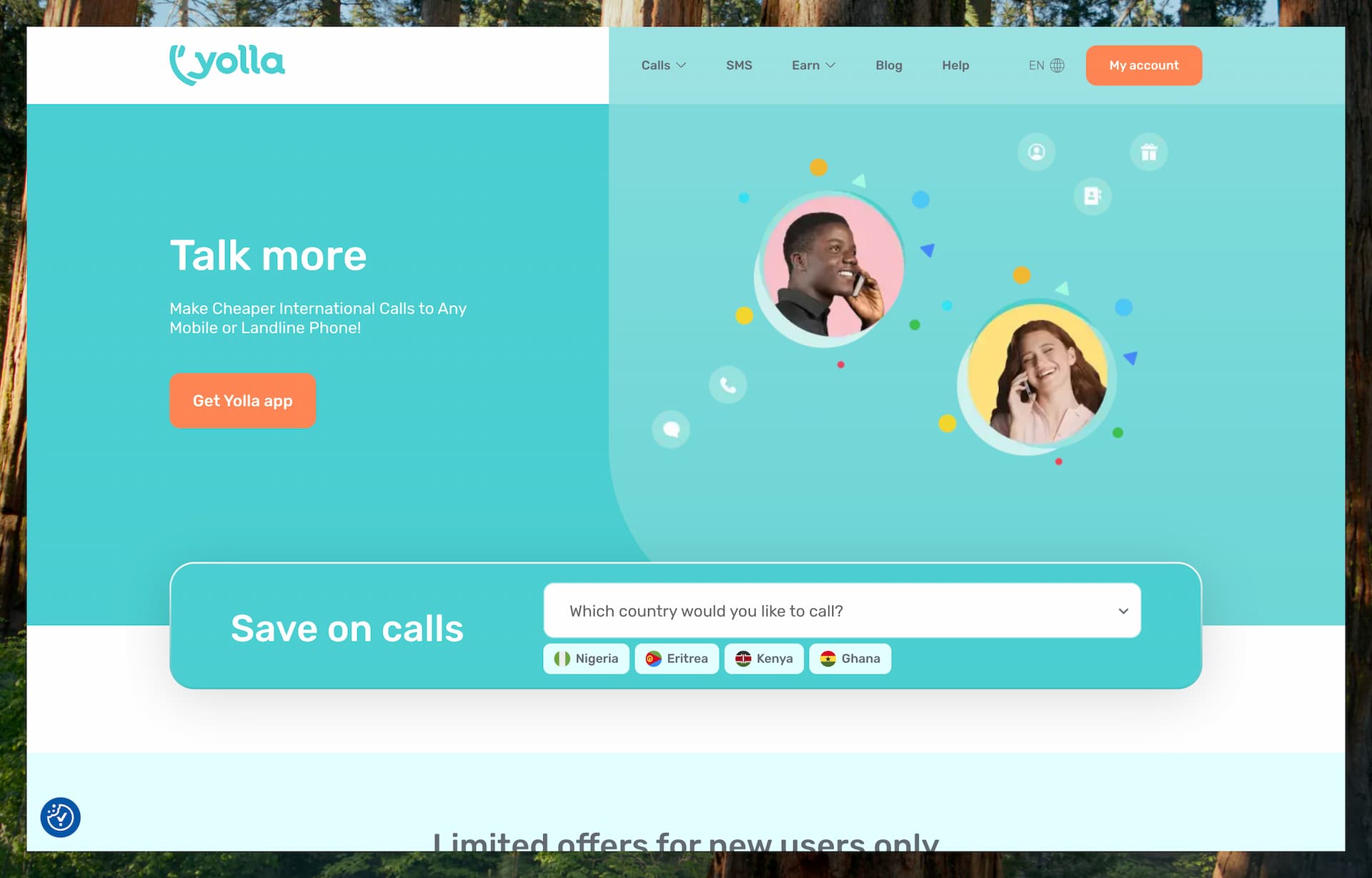
Yolla is a mobile app for low-cost international calling and texting. It is designed for people who want a simple prepaid way to contact mobile and landline numbers abroad from their smartphone.
Features
One of Yolla’s standout features is its ability to display your own mobile number as the caller ID when making calls. Once you verify your number in the app, the person you’re calling will see it’s you rather than a random-looking number.
Yolla supports international voice calling to phone numbers in more than 190 countries, and it works with both landlines and mobile numbers. The app also lets you either enter a number manually or call directly from your synced contacts.
Yolla also supports sending SMS to international mobile numbers in more than 150 countries. International SMS is billed at a flat rate, and Yolla positions this as one of the main ways it goes beyond a voice-only calling app.
Rather than assigning you a new number, Yolla uses your existing mobile number for both caller ID and account identity. It does not provide a second number or virtual number for inbound calling.
Yolla-to-Yolla calls are free, and the app also includes practical extras such as balance transfers between users and support for recharging prepaid mobile numbers.
The app is focused on calling and texting real phone numbers. It does not offer desktop or web calling, and it is not built around video calls or a broader communications suite.
Pricing
Yolla operates on a pay-as-you-go model using prepaid credits. You simply top up your balance through the app, and the cost of calls and SMS messages is deducted as you use them.
Call rates are generally low, with prices typically starting from around $0.04 per minute depending on the destination and whether you're calling a mobile or landline. The app makes it easy to see the per-minute rate before placing a call.
The minimum top-up is typically $4, and Yolla credits do not expire. Yolla also supports auto top-up, which helps avoid calls being interrupted when your balance runs low.
For international text messaging, Yolla charges $0.15 per SMS.
Yolla also runs promotional offers for new users, including discounted welcome offers in selected markets. These are not the same as its standard pay-as-you-go pricing, but they can make the service cheaper to try.
Overall, it’s a flexible and affordable option for users who want to control their spending and avoid monthly commitments.
Supported Regions
Yolla can be used anywhere you have an internet connection, and the app is available globally. It allows you to place calls to phone numbers in over 190 countries and send SMS to more than 150 countries.
While SMS delivery may be limited in some regions due to local carrier restrictions, Yolla generally provides coverage comparable to Skype—if Skype can call a destination, chances are Yolla can too.
Pros & Cons
Pros:
One of Yolla’s standout features is its caller ID support—the app keeps your real mobile number visible when you call, which increases the chances that people will recognize and answer your call.
Yolla offers competitive international rates, often comparable to or lower than Skype for many destinations. It also supports international SMS, a feature not all VoIP apps include.
Its interface is simple and practical, and the contact integration makes it easy to place calls without constantly re-entering international numbers.
Payments are flexible, with support for multiple payment methods, and the fact that credits do not expire makes the app more forgiving for casual users.
Cons:
Like most app-based calling services, Yolla doesn’t allow you to receive incoming calls from regular phone numbers. If someone wants to reach you, they’ll need to call your standard mobile number outside of the app.
Yolla also requires mobile number verification to sign up, so it’s not usable without a valid phone number. This ties your account to your existing number, which may be a downside for users looking for anonymous or secondary numbers.
Another limitation is that Yolla is currently mobile-only. Unlike Skype, there’s no desktop or web app, so it is less convenient if you prefer making calls from a computer.
It also does not provide a virtual number, and special numbers such as emergency numbers or certain toll-free/service numbers are not a good fit for an app like this.
Best Use Cases
Yolla is a great choice for travelers, expats, and international residents who want a simple, reliable way to make international calls while keeping their regular phone number visible. If you frequently switch SIM cards while abroad, Yolla helps maintain continuity—the people you call will still see your usual number, no matter where you are.
It’s also useful for those who occasionally need to call internationally for personal reasons, such as booking restaurants, contacting airlines, or checking in with family and friends. The ability to send international SMS is another plus, especially if your mobile carrier doesn’t support it or charges high fees.
In short, Yolla is a strong alternative to Skype Credit, especially for users who live abroad or maintain contacts in multiple countries. With its intuitive app, caller ID support, and international SMS capability, it is well-suited for casual international calling and everyday personal use.
Dingtone
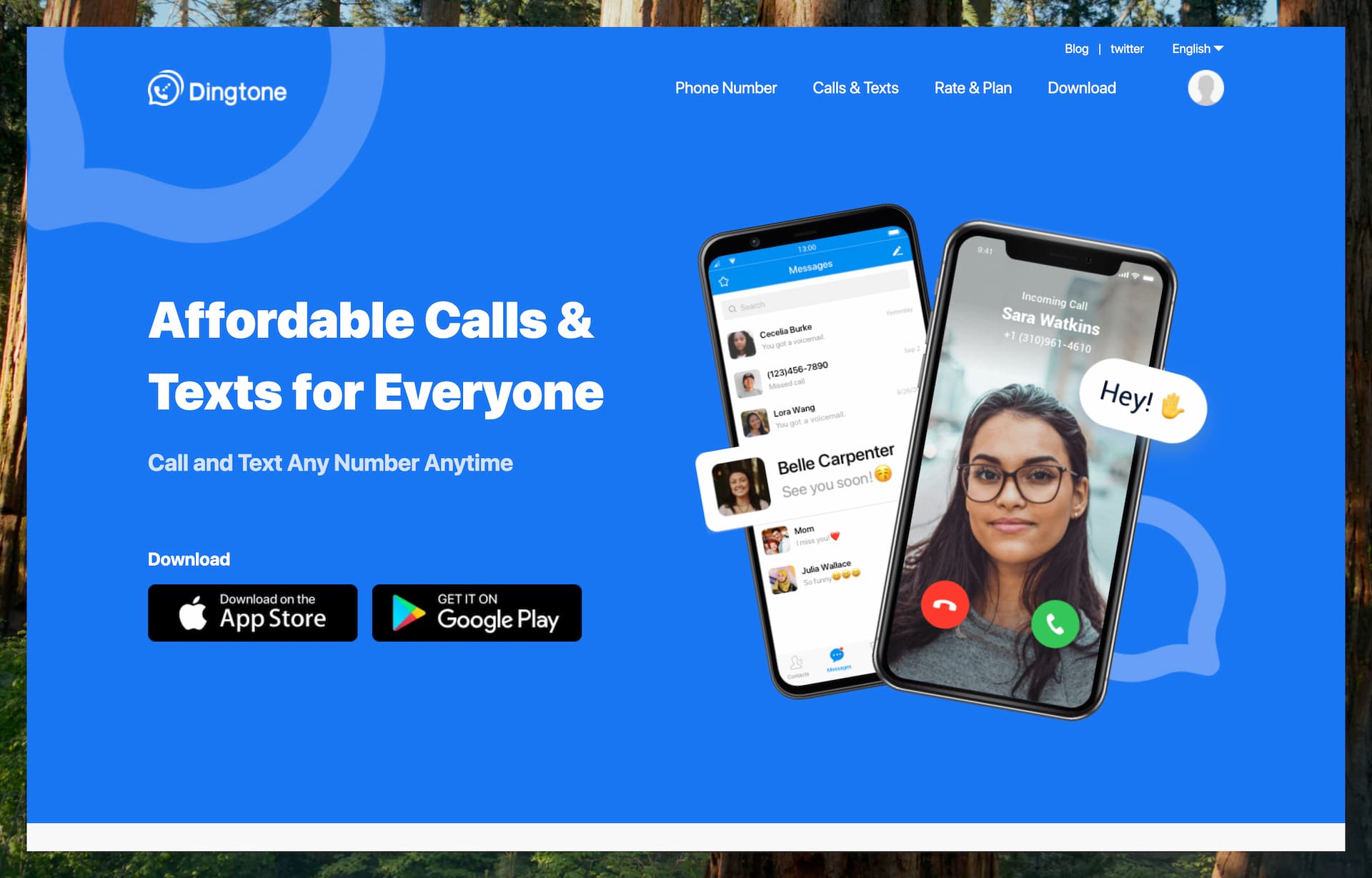
Dingtone is a mobile app built around second phone numbers, low-cost calling, and texting. It is aimed at users who want a separate number on the same device for privacy, convenience, or low-cost international communication.
Features
Dingtone combines the functionality of a free calling app with a virtual phone number service, allowing users to get a real second number inside the app. Depending on the market, numbers are available from countries such as the U.S., Canada, the U.K., Australia, and several parts of Europe.
These numbers can be used much like a regular line, meaning you can make and receive calls, send and receive texts, and handle voicemail through the app using an internet connection. The service supports Wi-Fi calling and SMS, and when someone calls your Dingtone number, the app rings much like a normal phone call.
Dingtone includes a fairly complete set of phone features such as voicemail, call forwarding, call blocking, call recording, auto-reply, and caller ID controls. It also supports free calls and texts between Dingtone users.
For international use, Dingtone supports calling to more than 200 countries and SMS delivery to more than 160 countries. Rather than being just an outbound calling app, it is better understood as a lightweight second-line service.
One unique aspect of Dingtone is its credit-earning system. Users can earn credits by watching ads, completing offers, checking in, or referring friends, and those credits can then be used for calling, texting, and some number-related features.
Pricing
Dingtone offers free app-to-app calls and texts between Dingtone users. For calling actual phone numbers or getting a second phone number, the app uses a virtual credit system.
New users receive some free credits to get started, and more credits can be earned by watching ads, completing in-app tasks, checking in daily, or referring friends. If you prefer, you can also buy credits directly through in-app purchases.
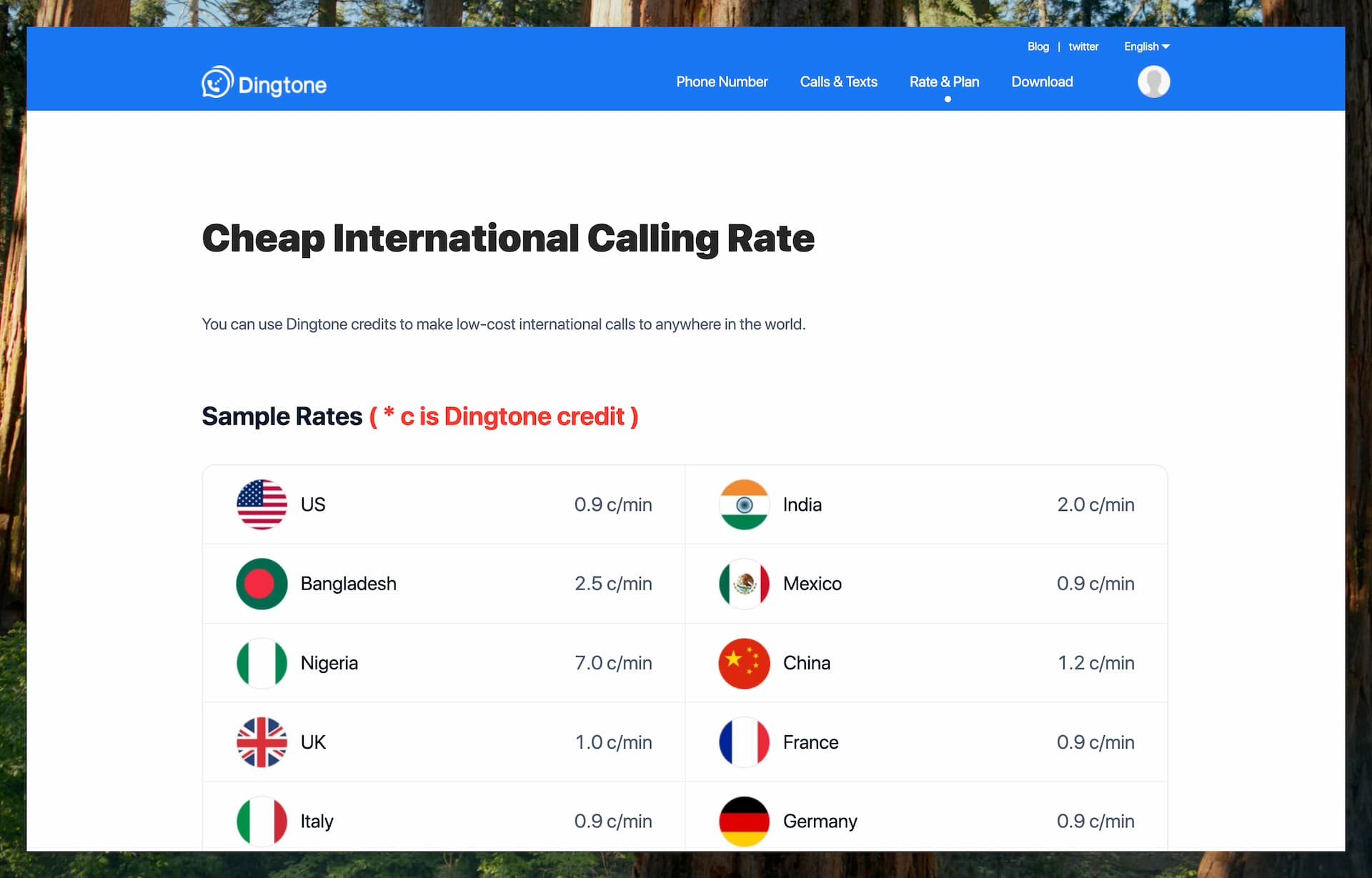
Calls to U.S. numbers typically cost under 1 credit per minute, while other destinations vary depending on the country and whether you're calling a landline or mobile number. Dingtone publishes detailed rates on its Rate & Plan page, but the pricing is shown in app credits rather than in dollars, which makes it less immediately transparent than most prepaid calling services.
Getting a second phone number in Dingtone usually requires a monthly subscription. Pricing varies by country and number type, so the cost of keeping a number is separate from the credits you use for calls and messages.
One important detail is that some inbound activity also consumes credits. Incoming calls, incoming SMS, incoming MMS, and call forwarding can all carry credit costs, and Dingtone also applies connection charges in some calling scenarios.
Occasionally, Dingtone offers free numbers through promotions, but you may need to stay active or maintain the required conditions to keep those numbers. In practice, Dingtone can be nearly free if you actively earn credits, but the pricing model is more complex than a simple dollar-based prepaid app.
Supported Regions
Dingtone is available worldwide and supports users in many languages, making it accessible to a global audience. Its international calling coverage is broad, with support for calls to more than 200 countries and SMS delivery to more than 160 countries.
The available second-number countries are much more limited than its calling coverage. Users can obtain numbers from a narrower set of markets such as the U.S., Canada, the U.K., Australia, and selected European countries, then use those numbers from anywhere with an internet connection.
It’s worth noting that some promotions and credit-earning opportunities may be more accessible in certain regions than others, but the core calling and numbering features are broadly available worldwide.
Pros & Cons
Pros:
One of Dingtone’s biggest advantages is that it offers truly free calling options. If you're willing to watch ads or complete tasks, you can earn enough credits to make free calls—something few competitors offer without requiring payment.
Dingtone also supports free calling and texting between users, which can be especially useful if you get friends or family to use the app.
A major plus is the ability to get a real second phone number with support for voicemail and SMS, effectively giving you a complete virtual phone line on your device.
Features like call forwarding, caller ID control, and call blocking add to its functionality, making it a solid option for a secondary line.
Cons:
Call quality can vary depending on your internet connection. While it's generally good over Wi-Fi, it may not always match the consistency of paid, premium calling services.
Also, the phone numbers provided by Dingtone are VoIP-based, which can occasionally be an issue—some services or platforms don’t accept VoIP numbers for verification or registration purposes.
Another limitation is that if you don’t actively use or maintain your Dingtone number, it may be reclaimed by the service. This makes it less permanent than a carrier-issued number unless you stay on top of the app’s requirements or maintain a paid subscription.
The pricing model can also be harder to understand than a standard prepaid app, since calling, messaging, incoming activity, and number retention can all involve different credit or subscription rules.
Finally, Dingtone only offers virtual numbers from a limited set of countries. So, while you can call nearly anywhere, you won’t be able to obtain a local number in countries like India or China.
Best Use Cases
Dingtone is a great option for users who want a free or ultra-low-cost second phone line and are open to engaging with a freemium app model. It’s especially well-suited for students or anyone on a tight budget, since you can earn calling credits by watching ads or completing tasks.
It’s also a solid choice for privacy-conscious users. If you don't want to share your main number in lower-trust situations, a Dingtone number can work as a practical secondary line.
Expats, long-term travelers, and remote workers may also find it useful if they want to keep a U.S. or U.K. number while living abroad, helping them stay reachable on a familiar number without a traditional carrier plan.
Dingtone serves as a good Skype alternative for casual international calling and texting, especially for those who want the convenience of a communication app plus a real phone number—without the commitment of a paid subscription.